Time awareness, not productivity pressure

See where your life goes, one day at a time.

Dayfold helps you understand how a day actually unfolds: scheduled time, loose tasks, habits, birthdays, journal notes, roles, and the quiet space between them.

Now opening for public beta. Or see the real screens first.

iPhone, iPad & Mac Free while in beta No ads, no data selling
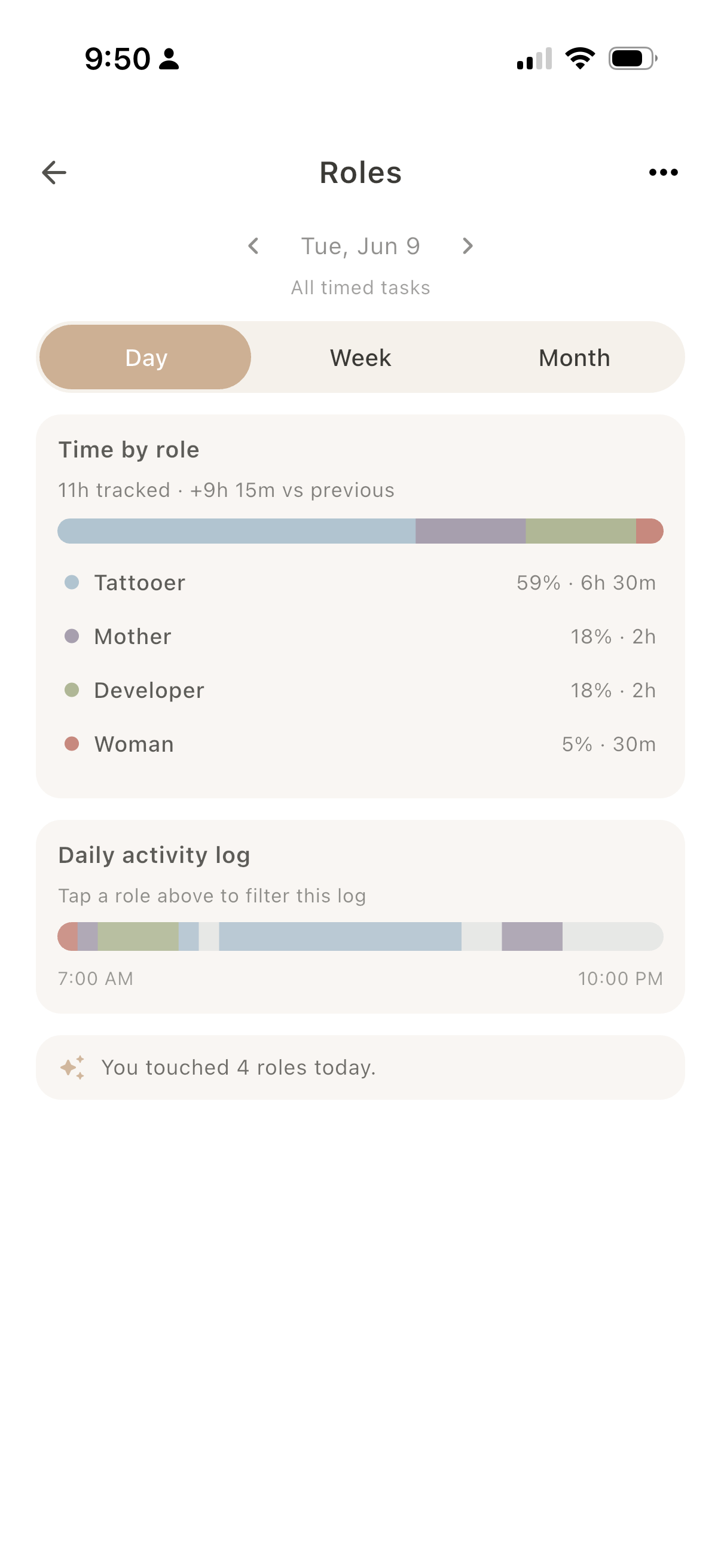
Dayfold Roles screen
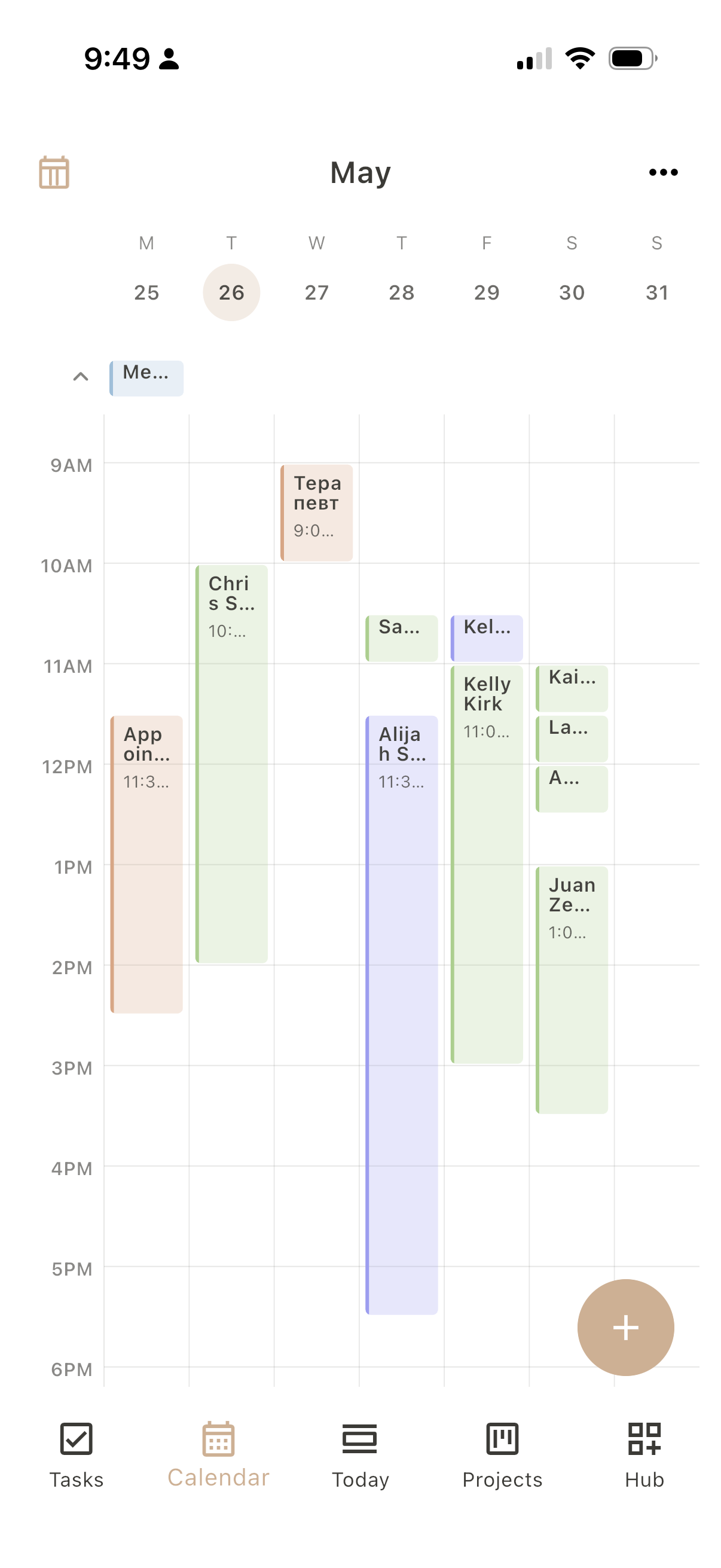
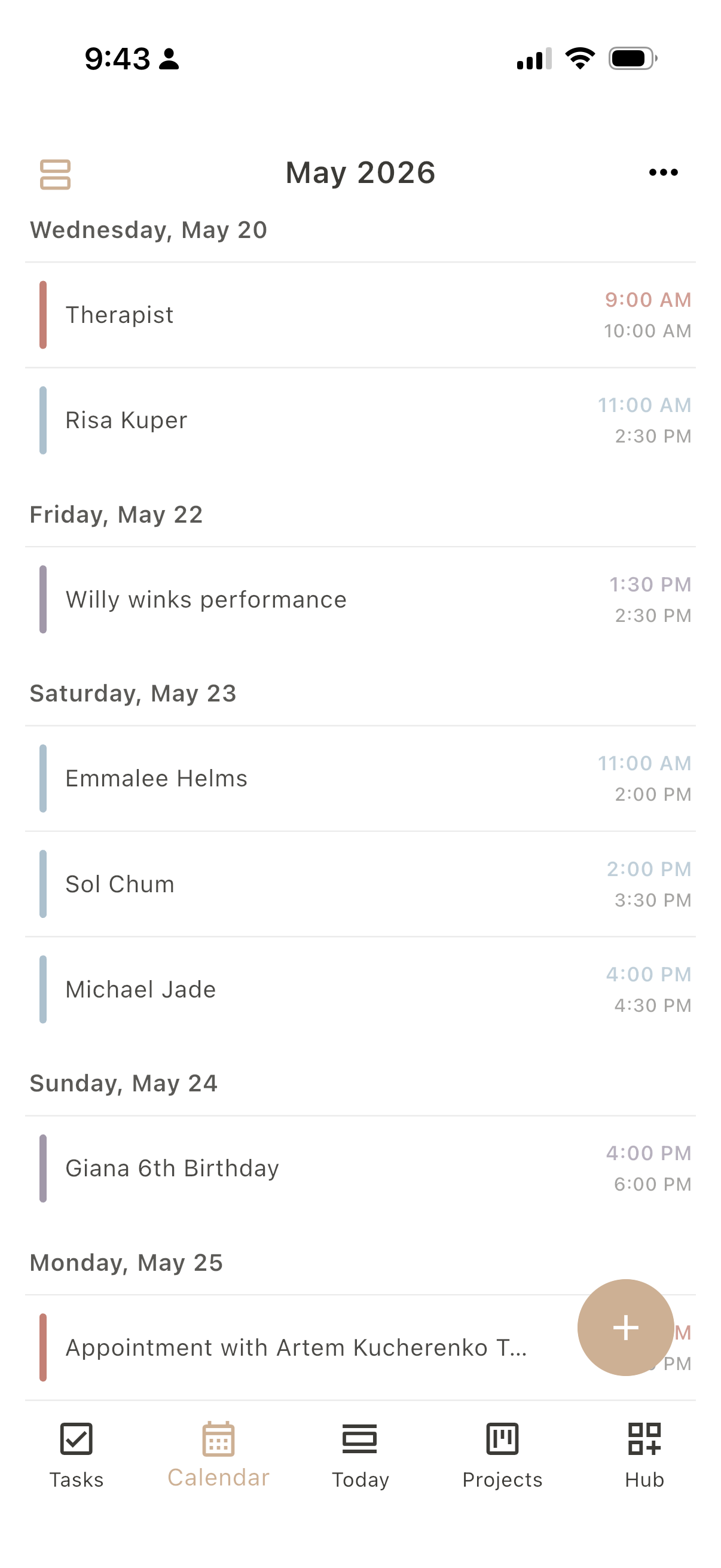
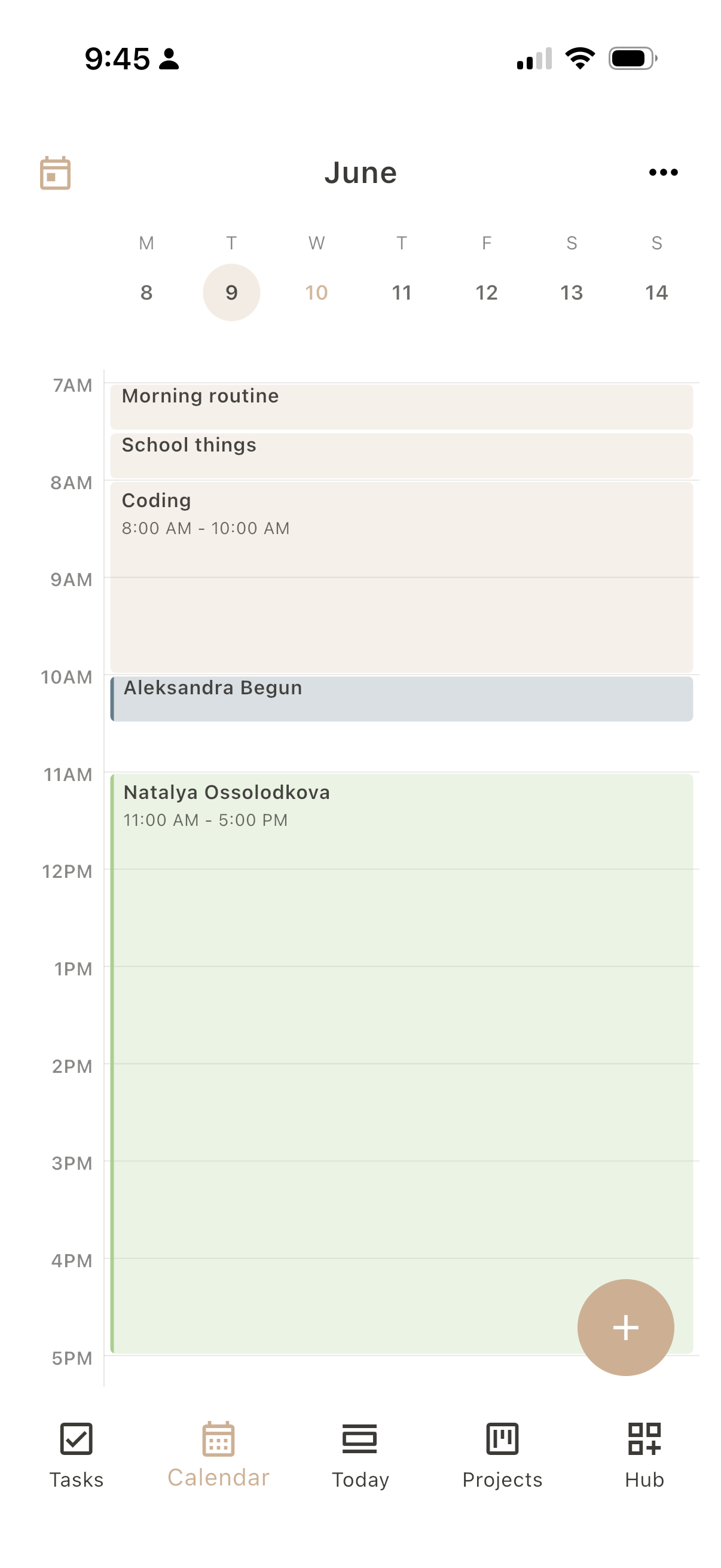
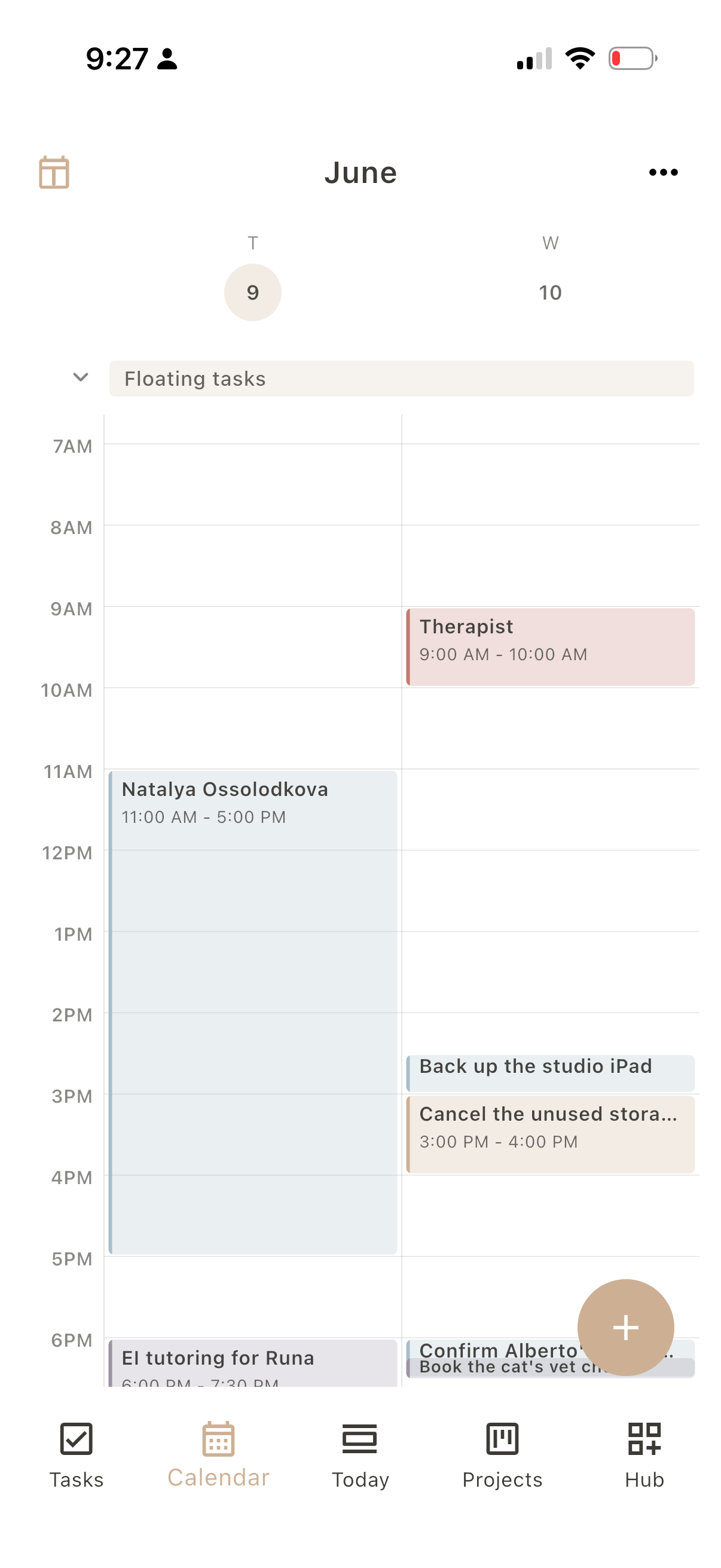
Dayfold Calendar screen
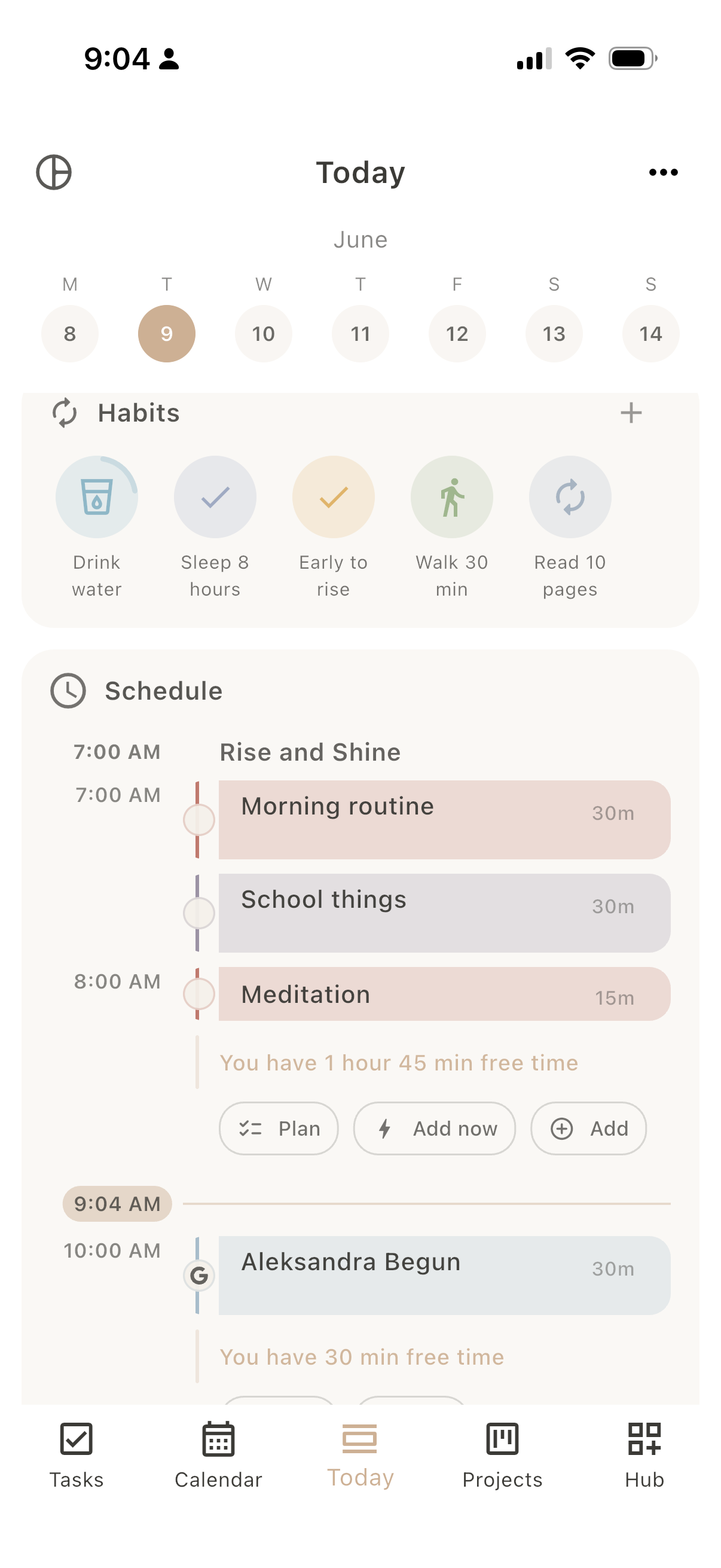
Dayfold Today screen

Today

Built around the whole day.

Today is where the day comes together. Your schedule and timeline sit at the center, with routines woven in, and around them the things that matter now: habits, notes, the day’s tasks, and the birthdays you don’t want to miss.

Today

Rise and Shine

You have 1 hour 45 min free time
PlanAdd

Workout

1h
You have 2 hours 15 min free time

Client tattoo session

2h
You have 8 hours free time

Wind Down

What shows up in Today

Schedule & timelineYour day, hour by hour, routines included Always
HabitsToday’s soft bubbles
Today’s tasksWhat needs doing now
Journal & notesA line for the day
BirthdaysPeople you don’t want to miss

Turn any section on or off, and drag to reorder. Only the timeline always stays, so Today shows exactly what you want to see.

One app, gently divided

Everything, folded into one calm app.

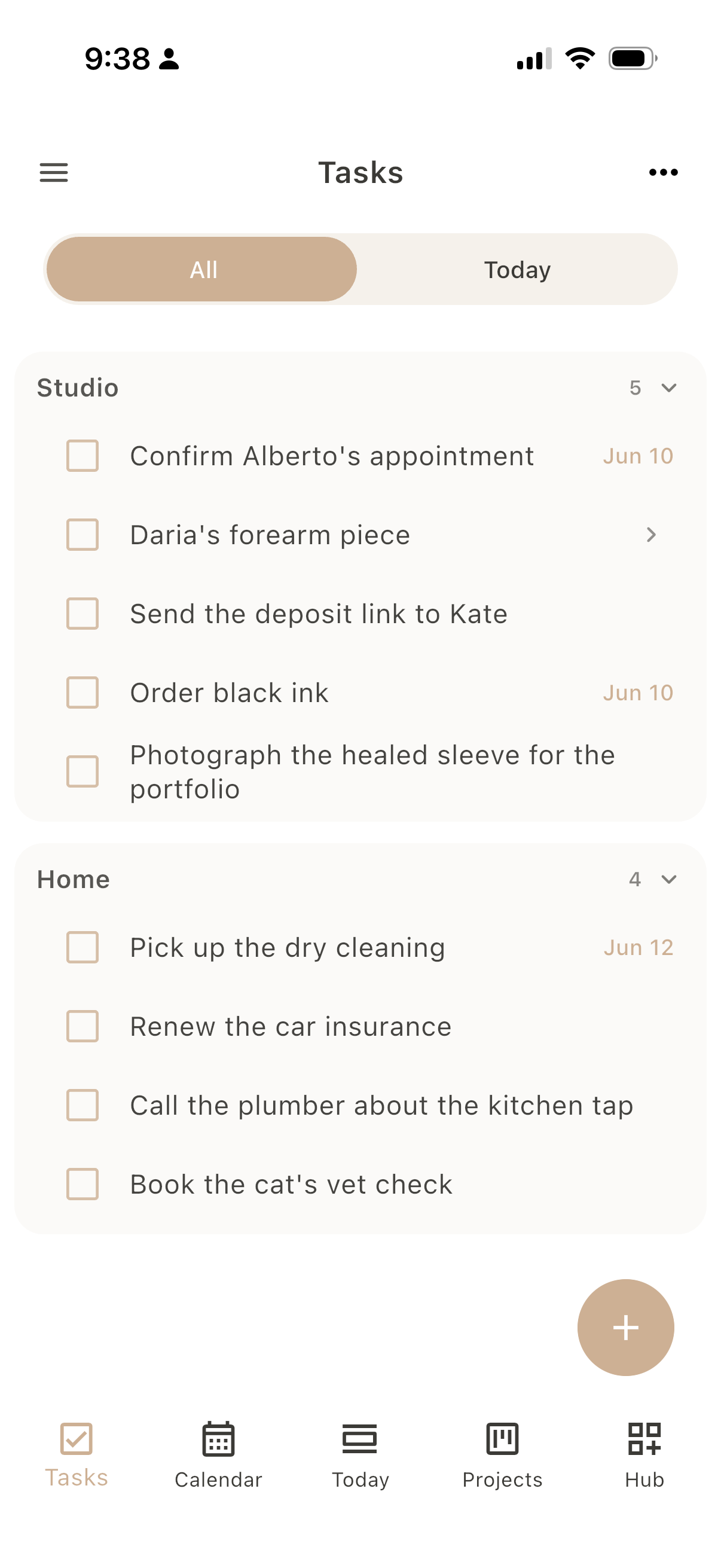
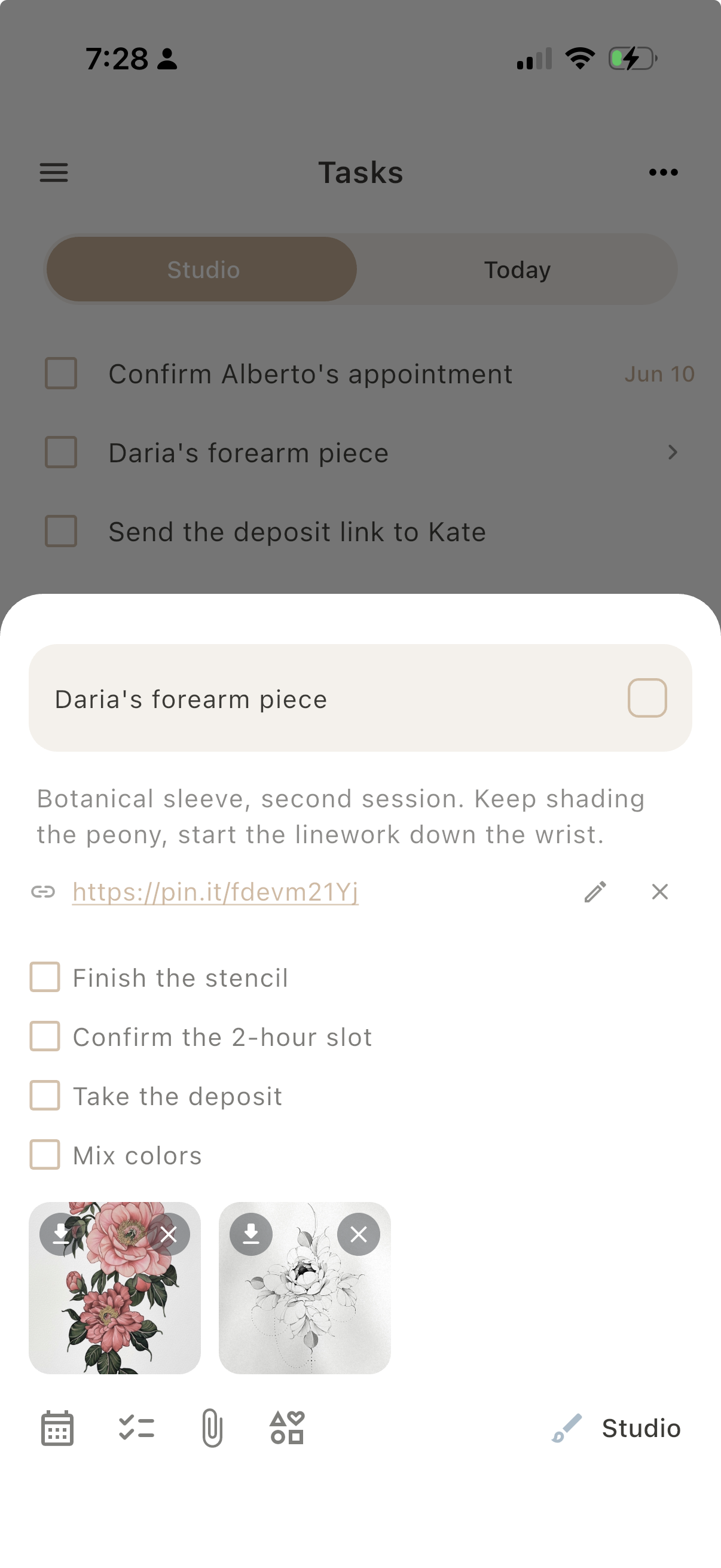
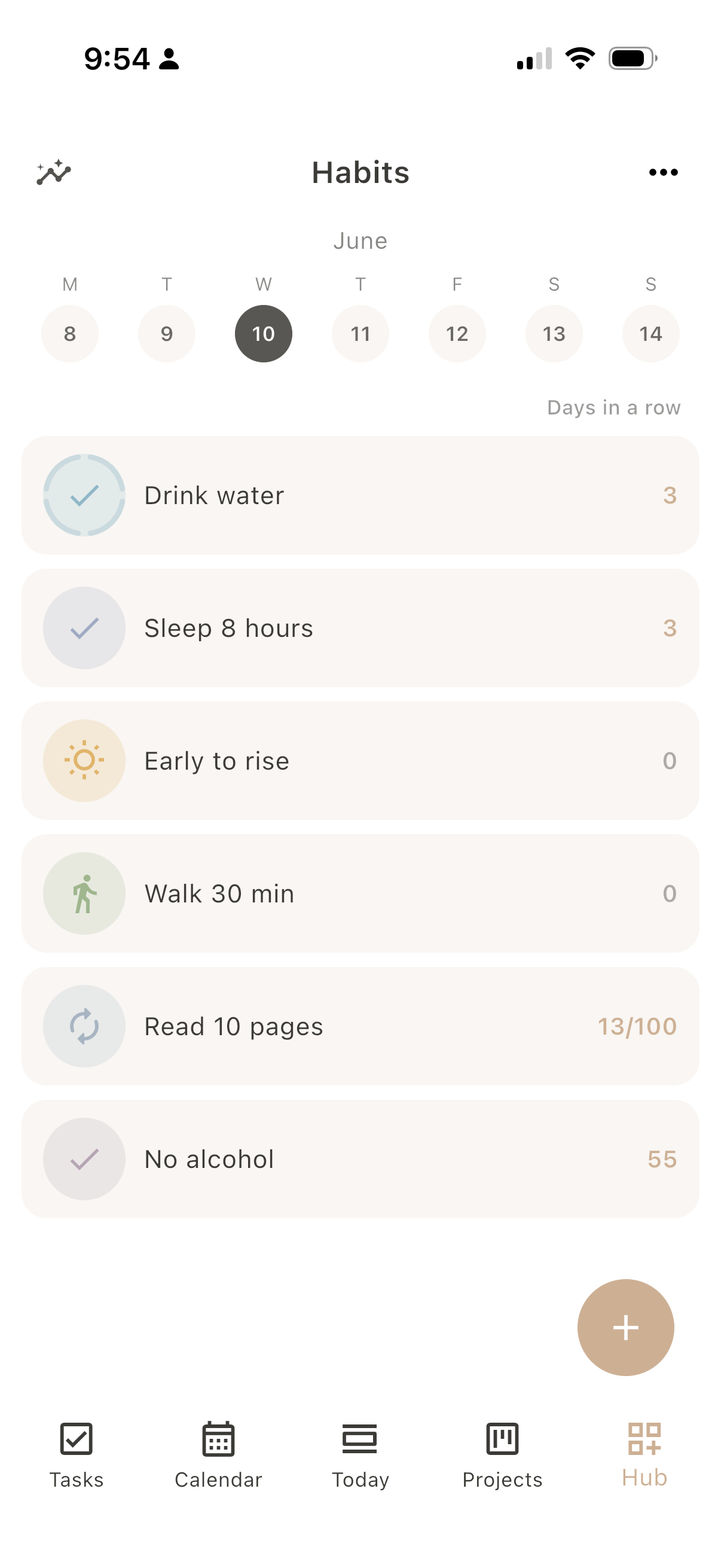
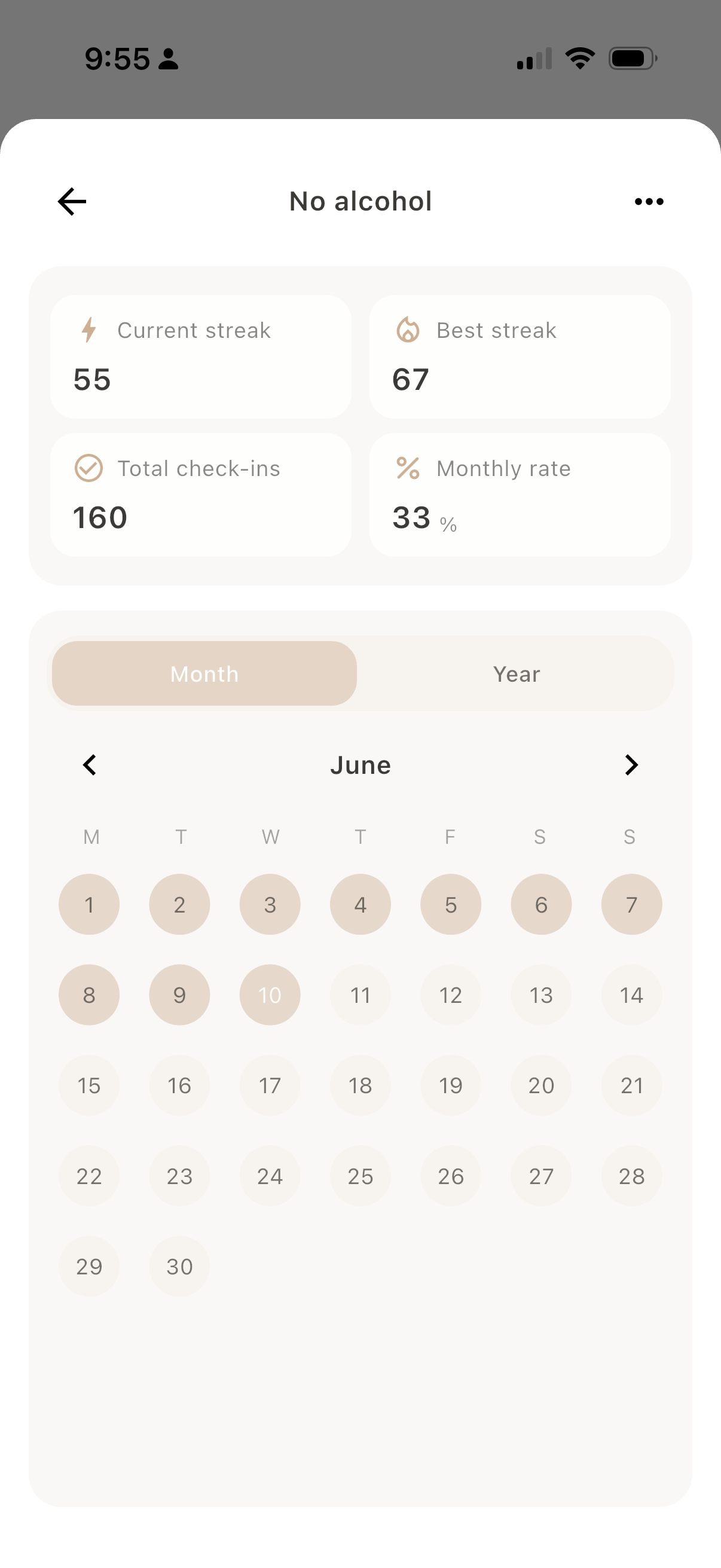
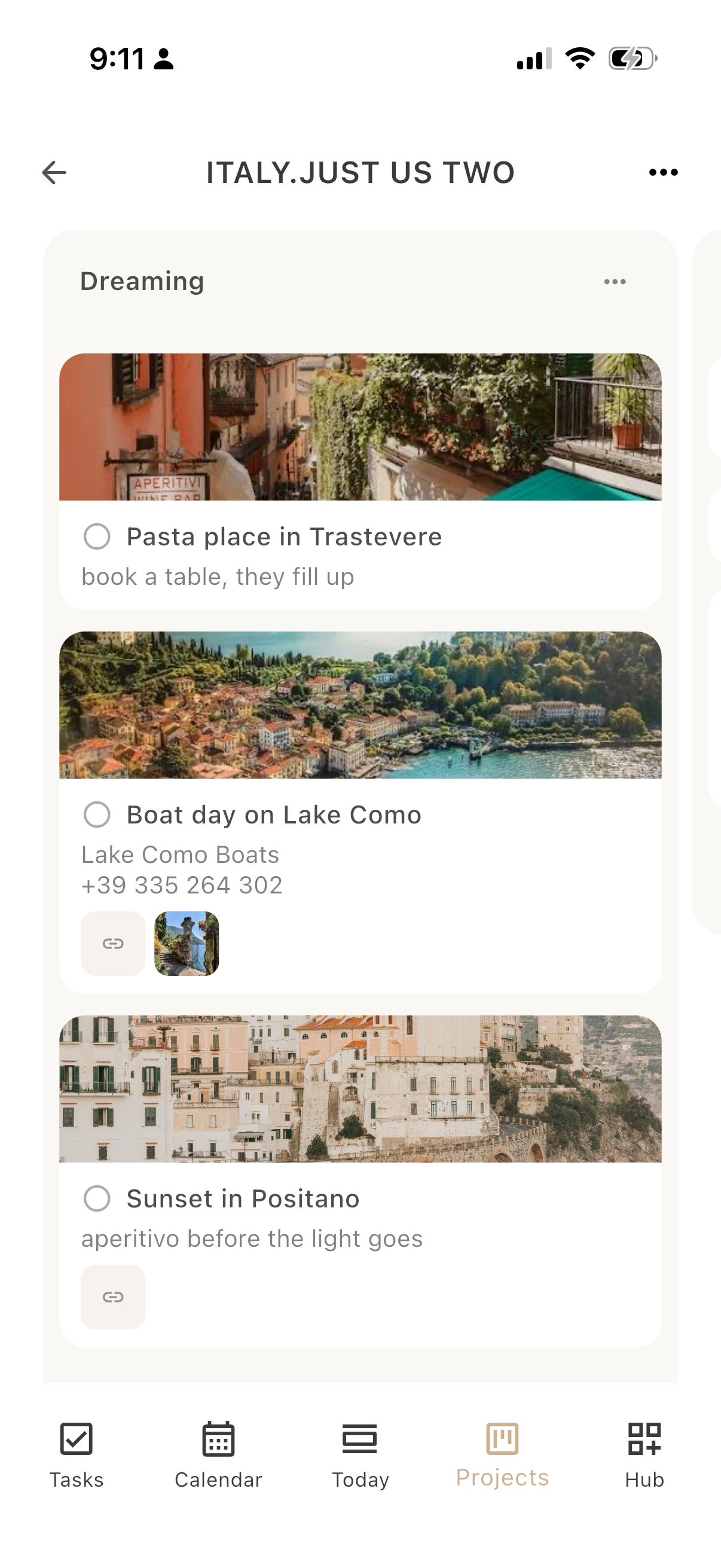
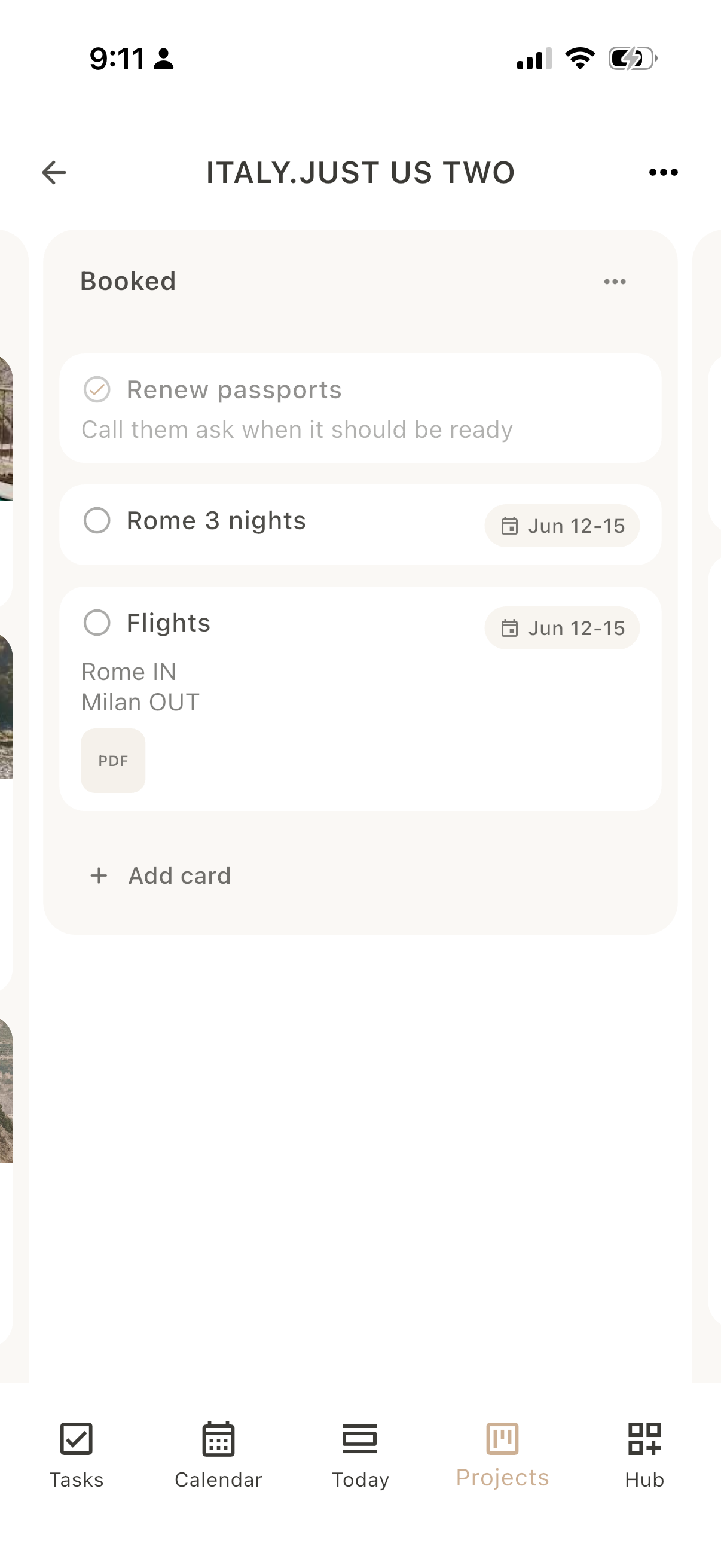
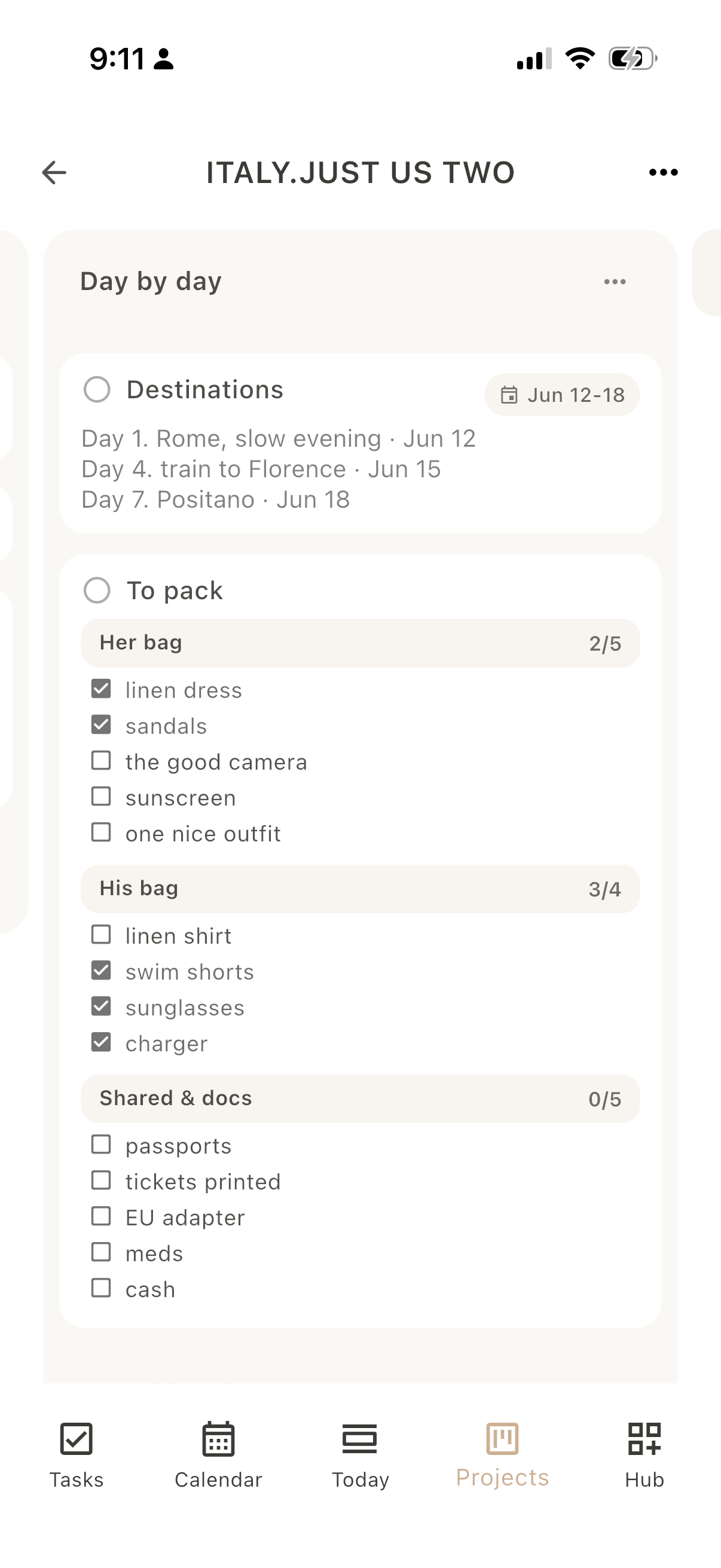
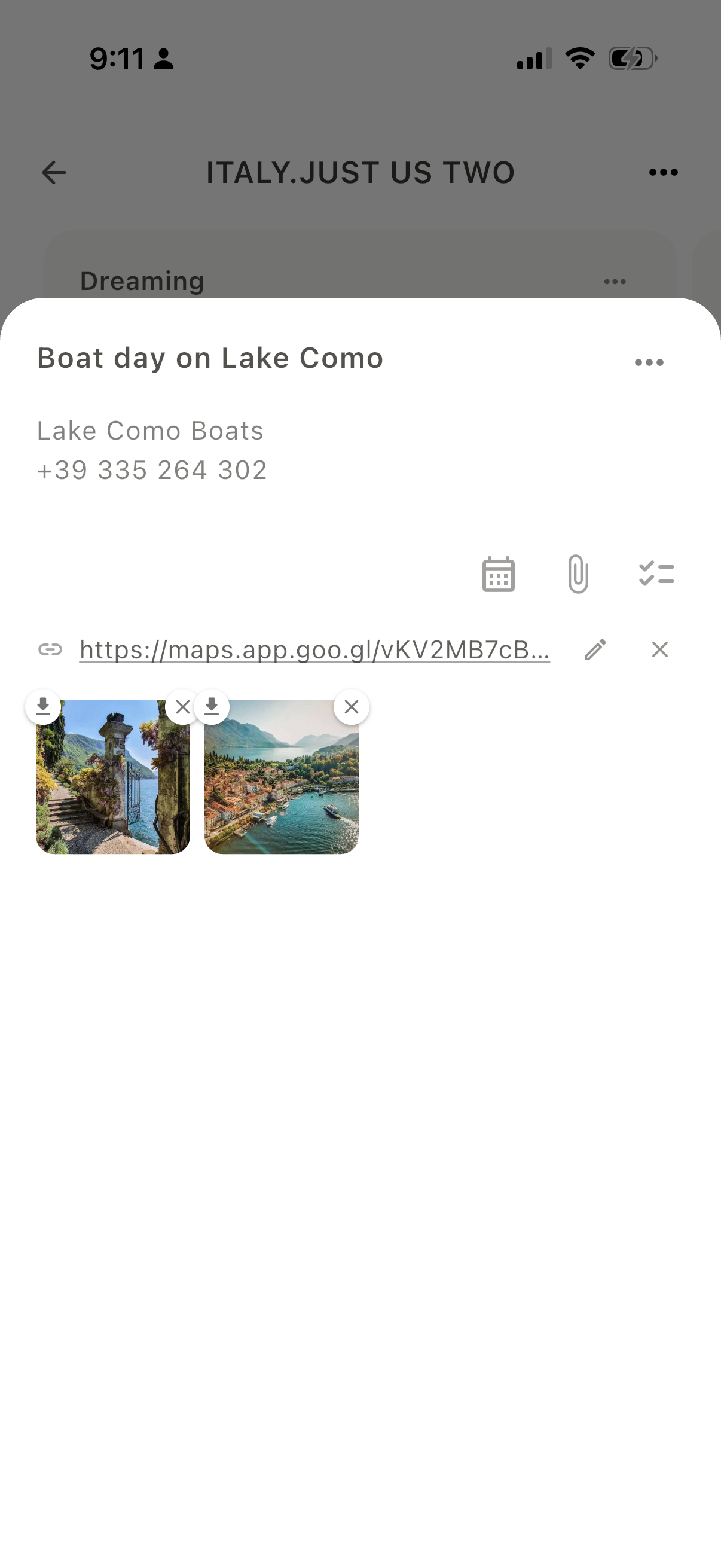
Dayfold Calendar, list view Dayfold Calendar, single day, colored by role Dayfold Calendar, single day, colored by list Dayfold Calendar, multi-day view, two days Dayfold Calendar, multi-day view, three days Dayfold Calendar, classic week grid Dayfold Calendar, compact week agenda Dayfold Calendar, classic month view Dayfold Calendar, year view Dayfold Tasks, inbox view Dayfold Tasks, today view Dayfold Tasks, all lists grouped Dayfold Tasks, expanded task with checklist and attachments Dayfold Habits, home list with streak counts Dayfold Habits, single habit stats, month Dayfold Habits, single habit stats, year Dayfold Habits, overall stats across all habits Dayfold Habits, suggested gallery Dayfold Habits, new habit with goal and frequency Dayfold Journal, diary space Dayfold Journal, list of spaces Dayfold Birthdays screen Dayfold Projects, boards list Dayfold Projects, Dreaming list with photo cards and links Dayfold Projects, Booked list with dates and a PDF Dayfold Projects, packing cards with checklists Dayfold Projects, open card with a link and images Dayfold Projects, card actions including add to tasks and move card Dayfold Pomodoro screen
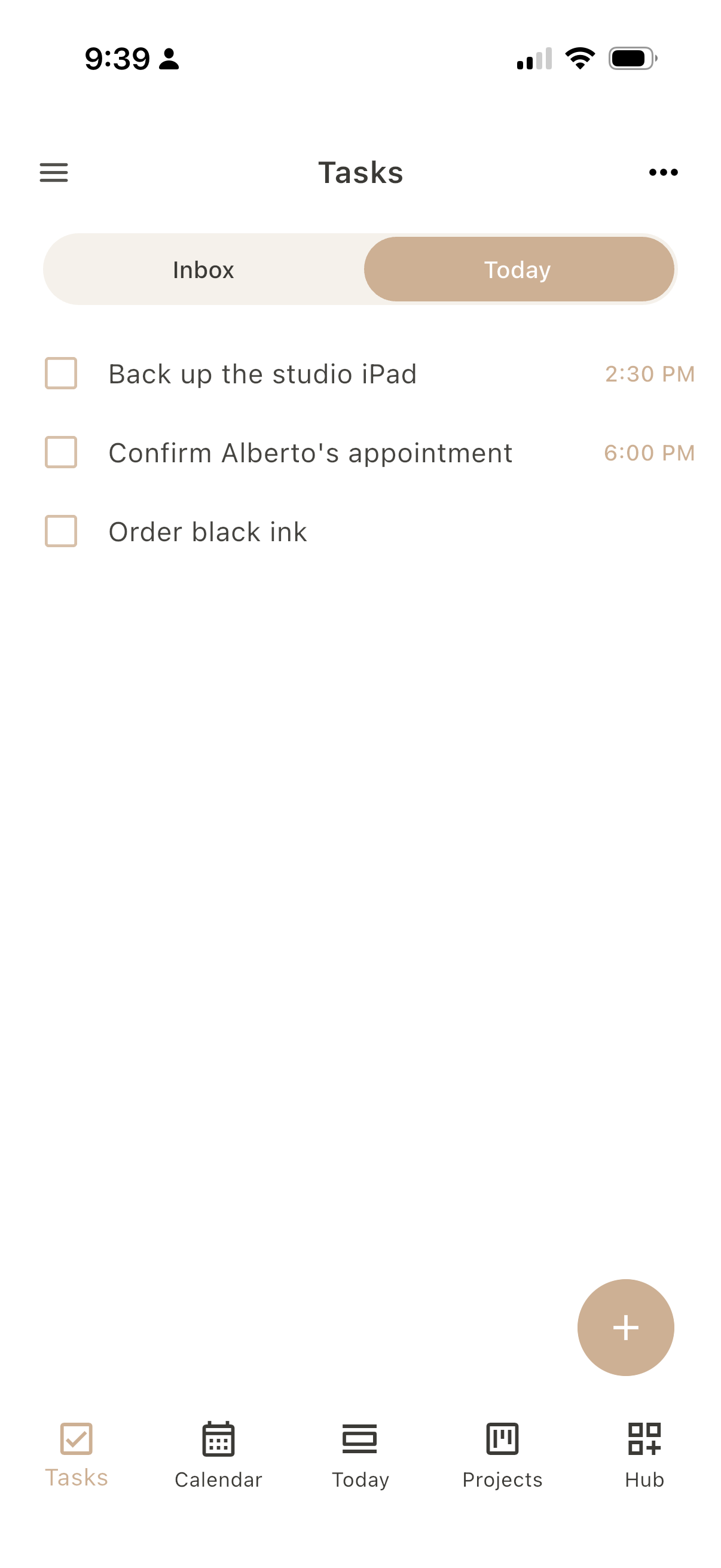
Dayfold Tasks screen
01 - 07 Loose & light

Tasks

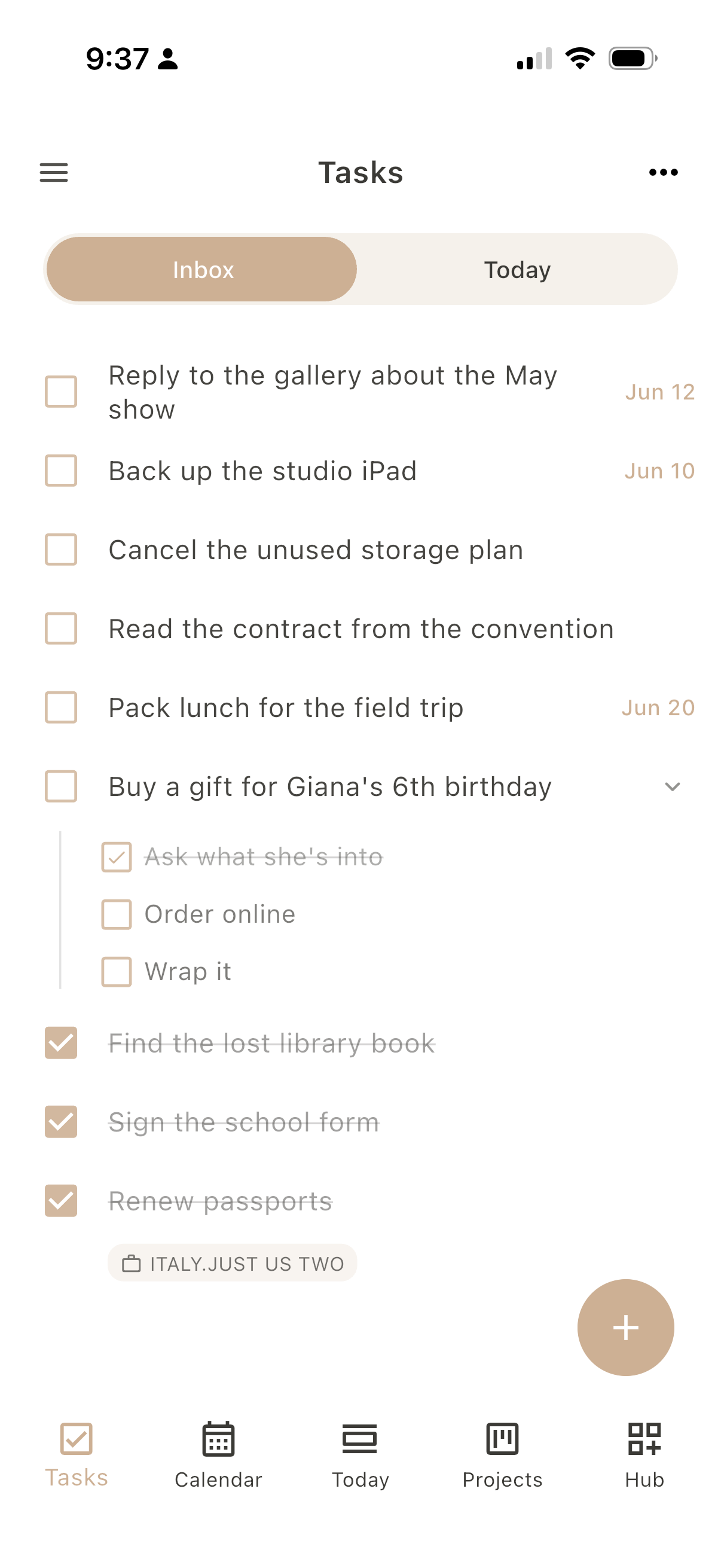
Capture errands, client notes, and small intentions without forcing each into a calendar slot. Flip between your inbox and just today, group everything into lists, and when something needs more, a task quietly holds it: a checklist, a reminder, the link or file you'll want when you get to it.

Toggle Inbox / Today, swipe for all lists and an open task
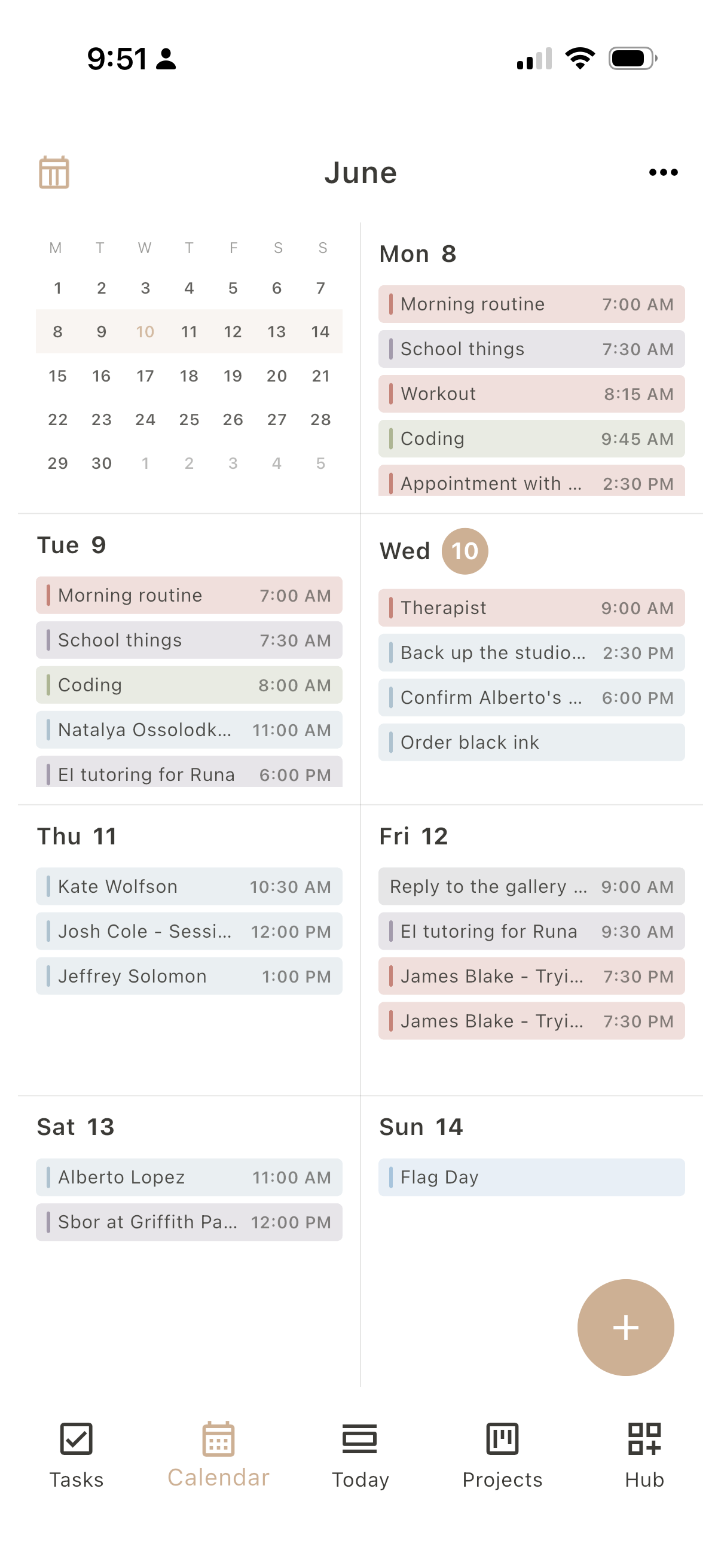
Dayfold Calendar screen
02 - 07 Timed blocks

Calendar

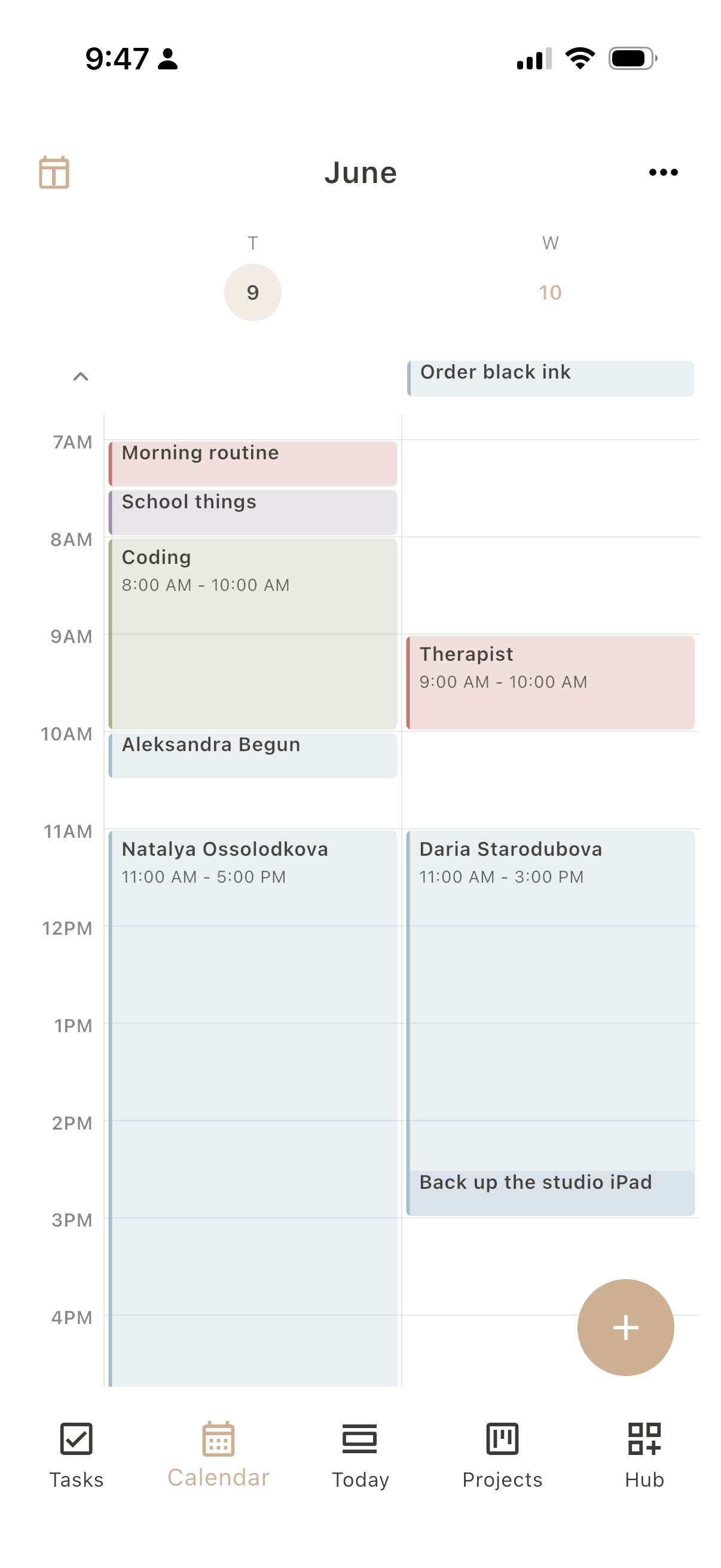
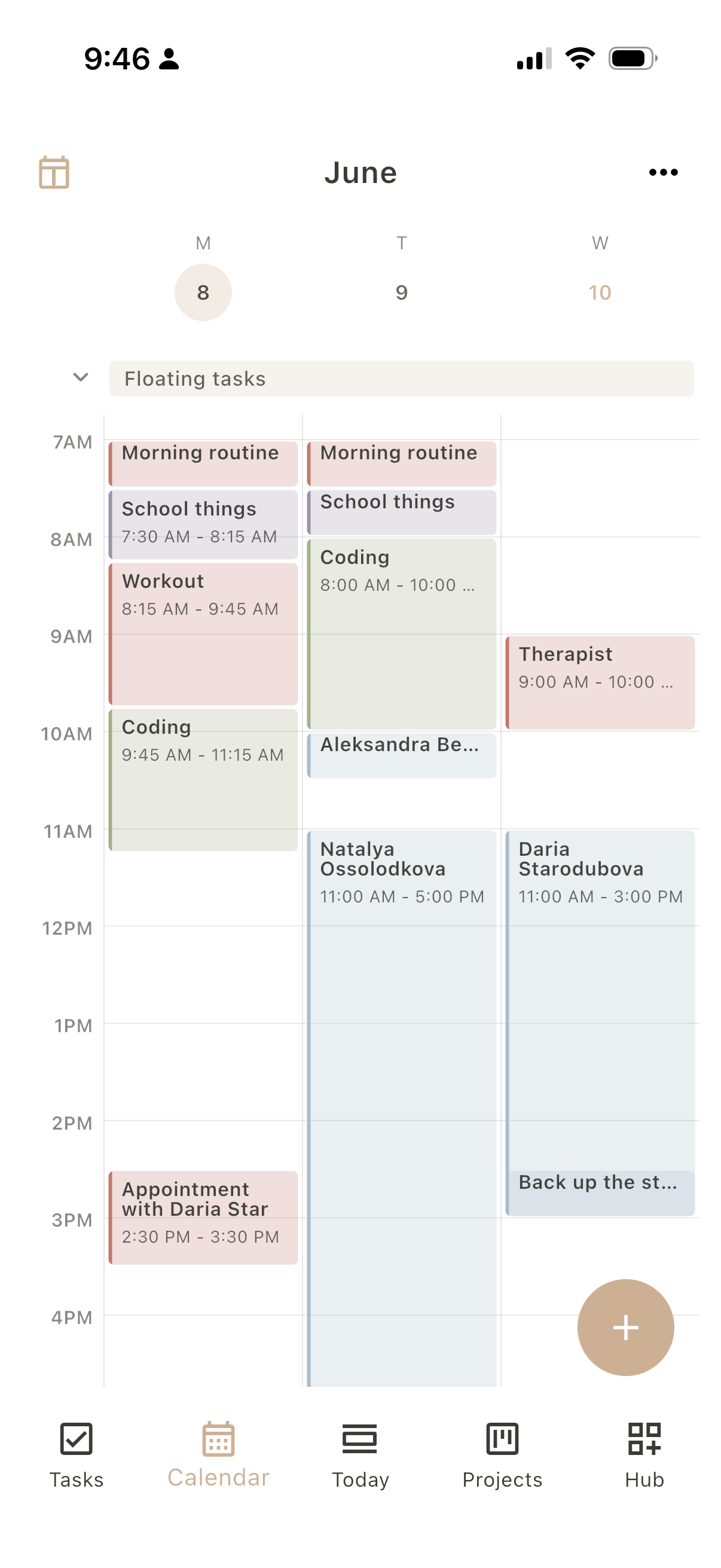
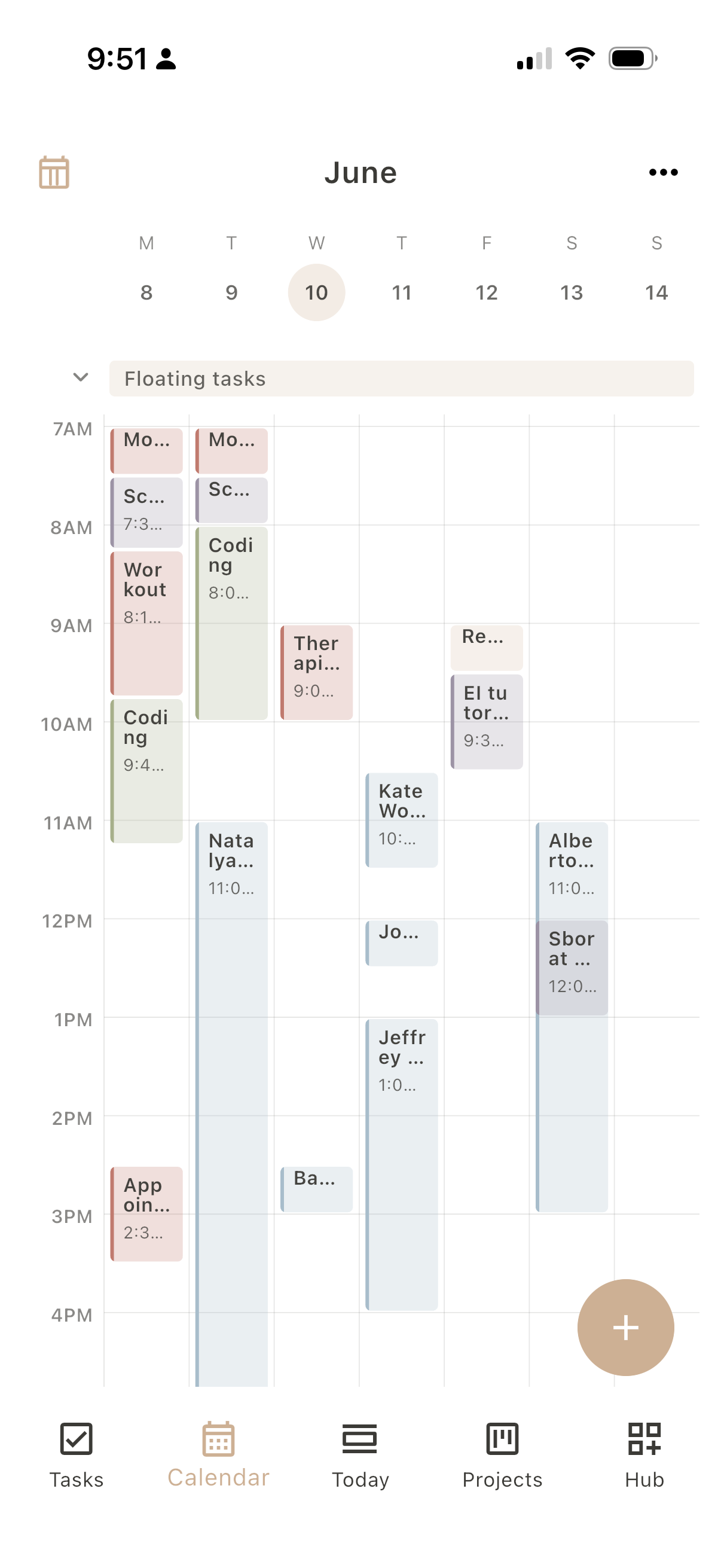
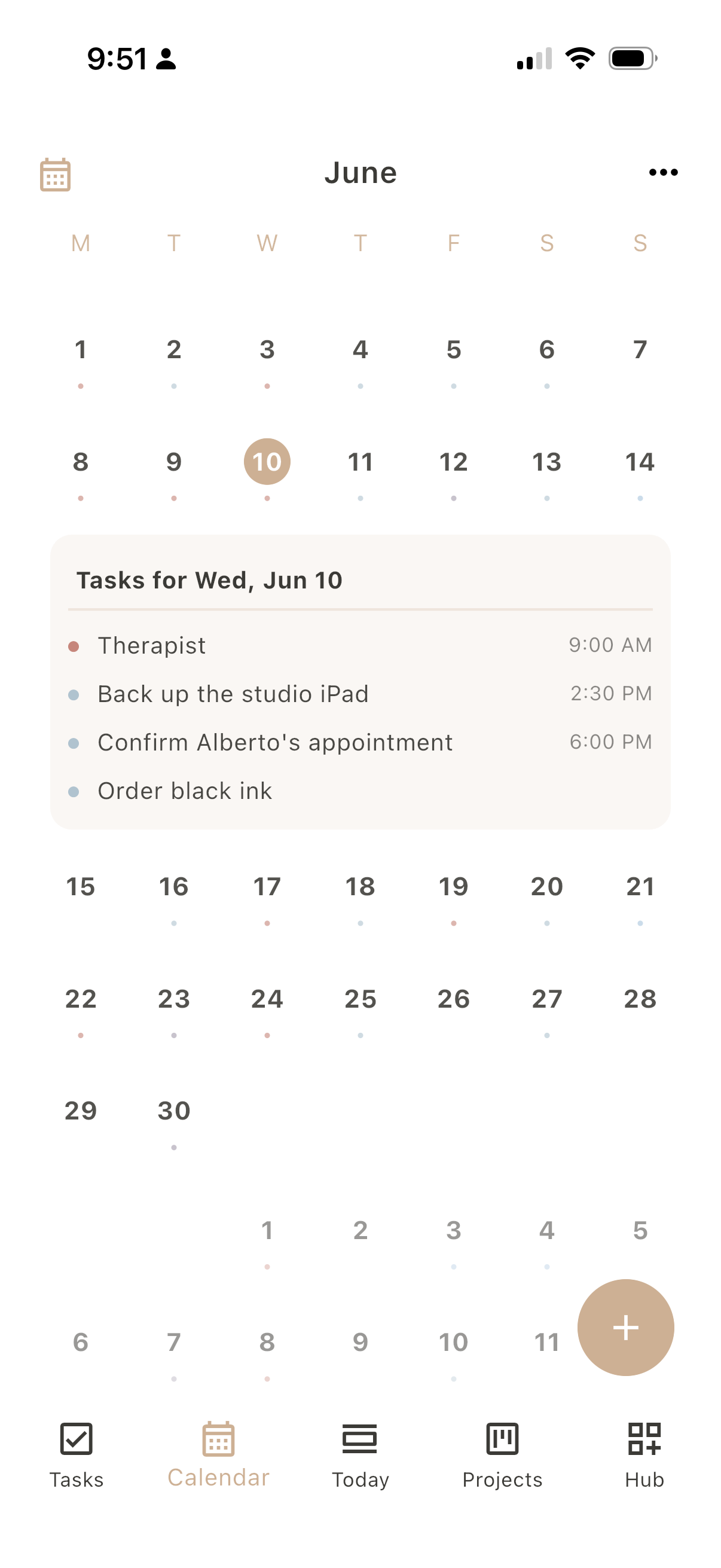
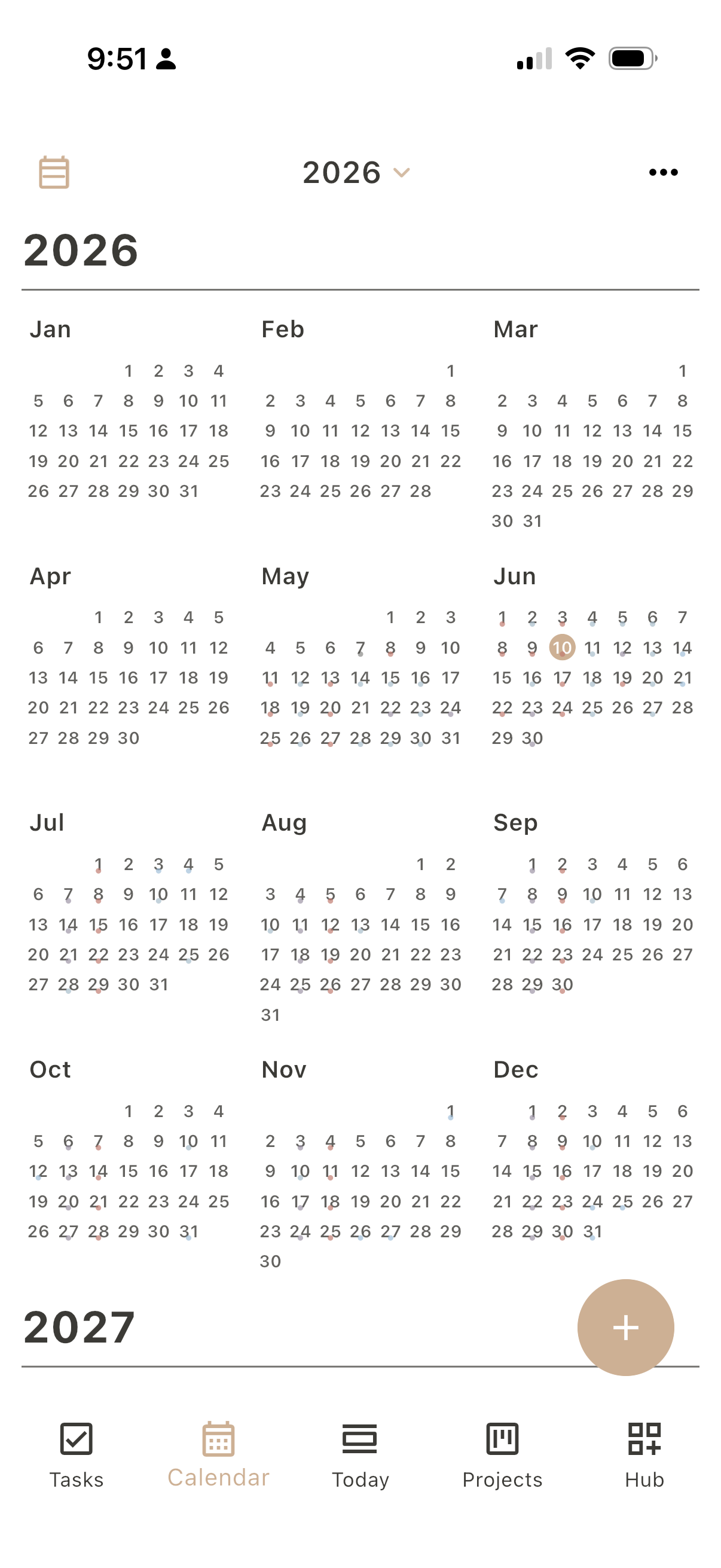
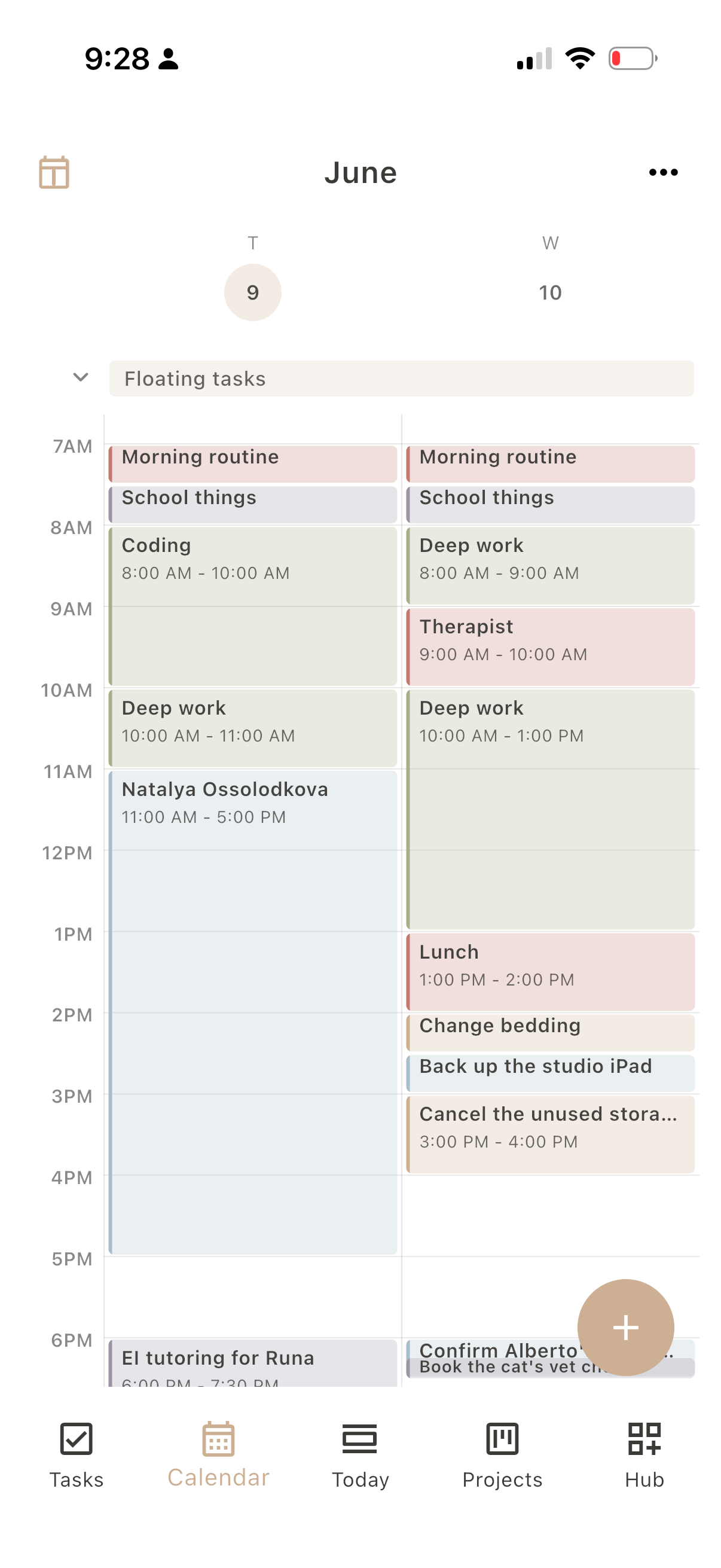
Scheduled time in soft blocks: enough structure to read the day, enough air to breathe. See it as a list, a single day, two or three days side by side, the full week as a grid or a compact agenda, the classic month, or the whole year at a glance. Color each day by role or by list to see the shape of your time. Your Apple and Google calendars flow in too, so nothing lives in two places.

Swipe the phone: List, Day, Multiday, Week, Month, Year
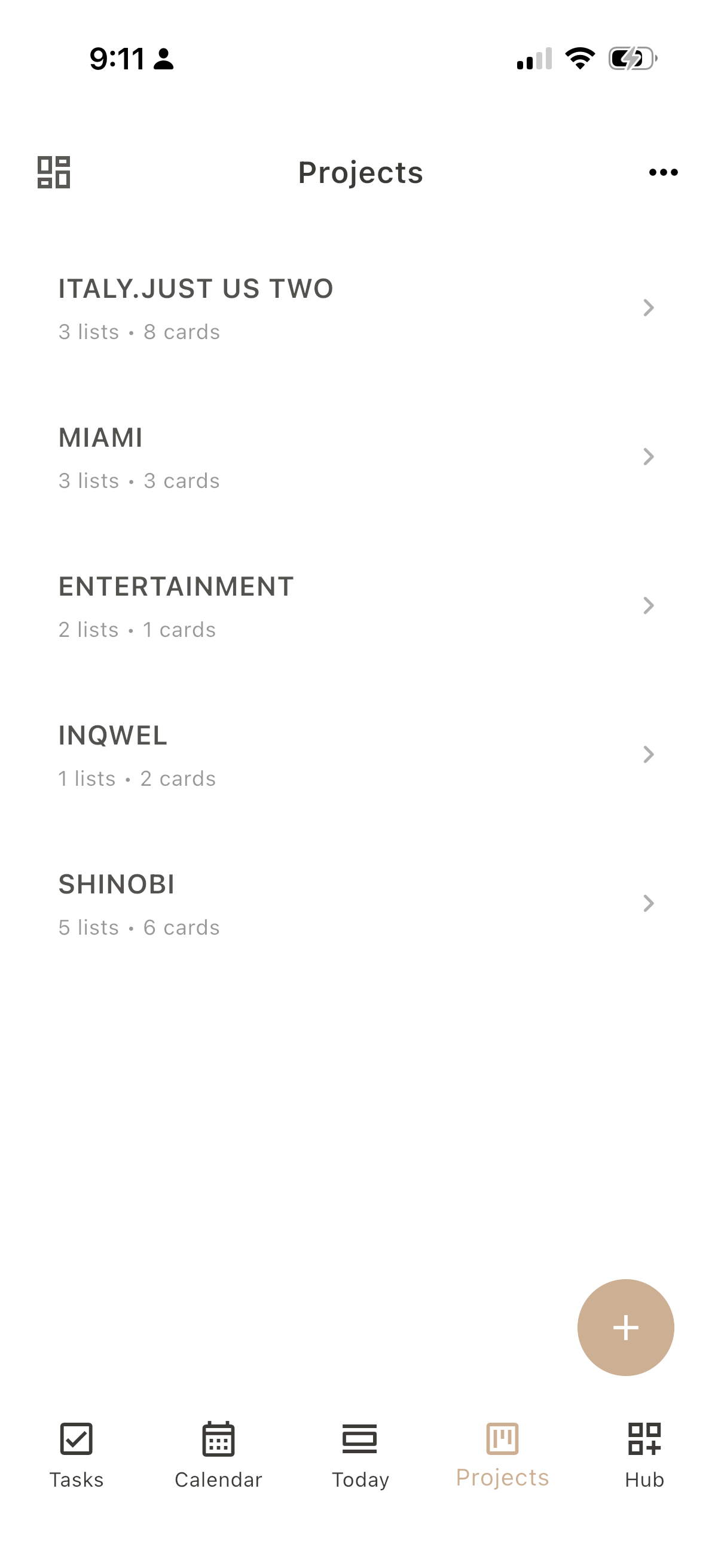
Dayfold Projects screen
03 - 07 Move things across

Projects

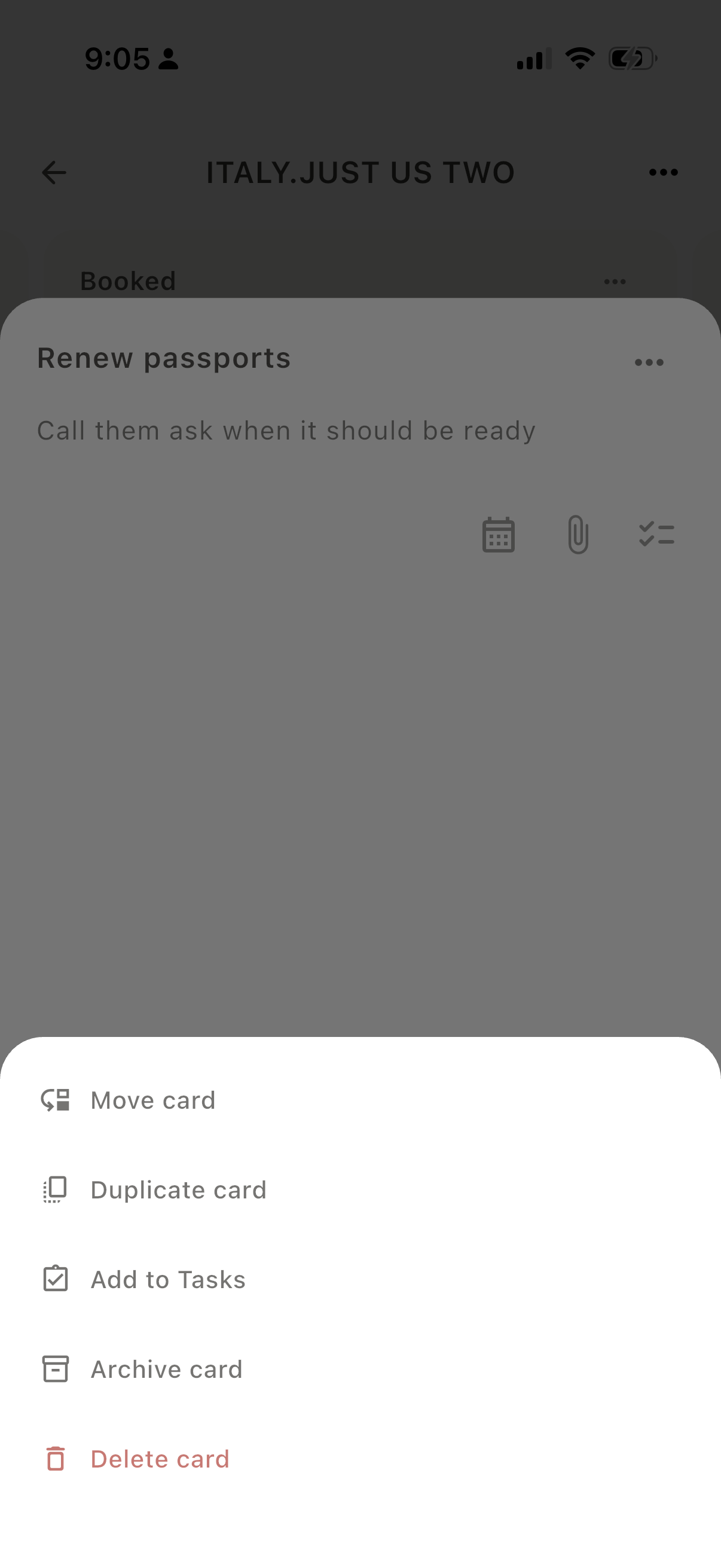
Wrap any project, whether a trip, a launch, a home move, or a client job, into a board and slide cards across it as things progress. A card can hold cover photos and links, start and due dates, a file, or a checklist inside, and turn into a task the moment it needs doing.

Swipe: Boards, Cards, Dates, Checklists, Detail, Actions
Dayfold Habits screen
04 - 07 Quiet rhythms

Habits

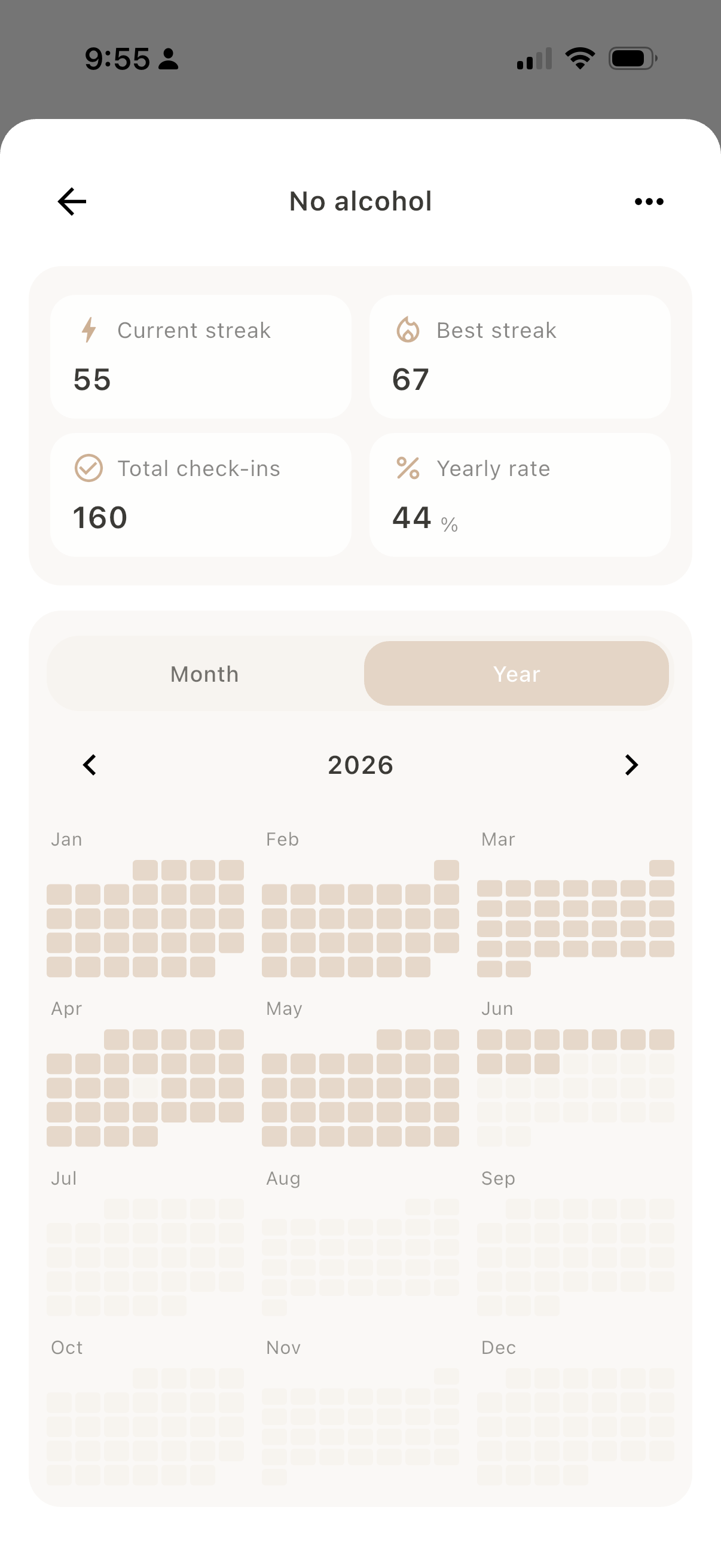
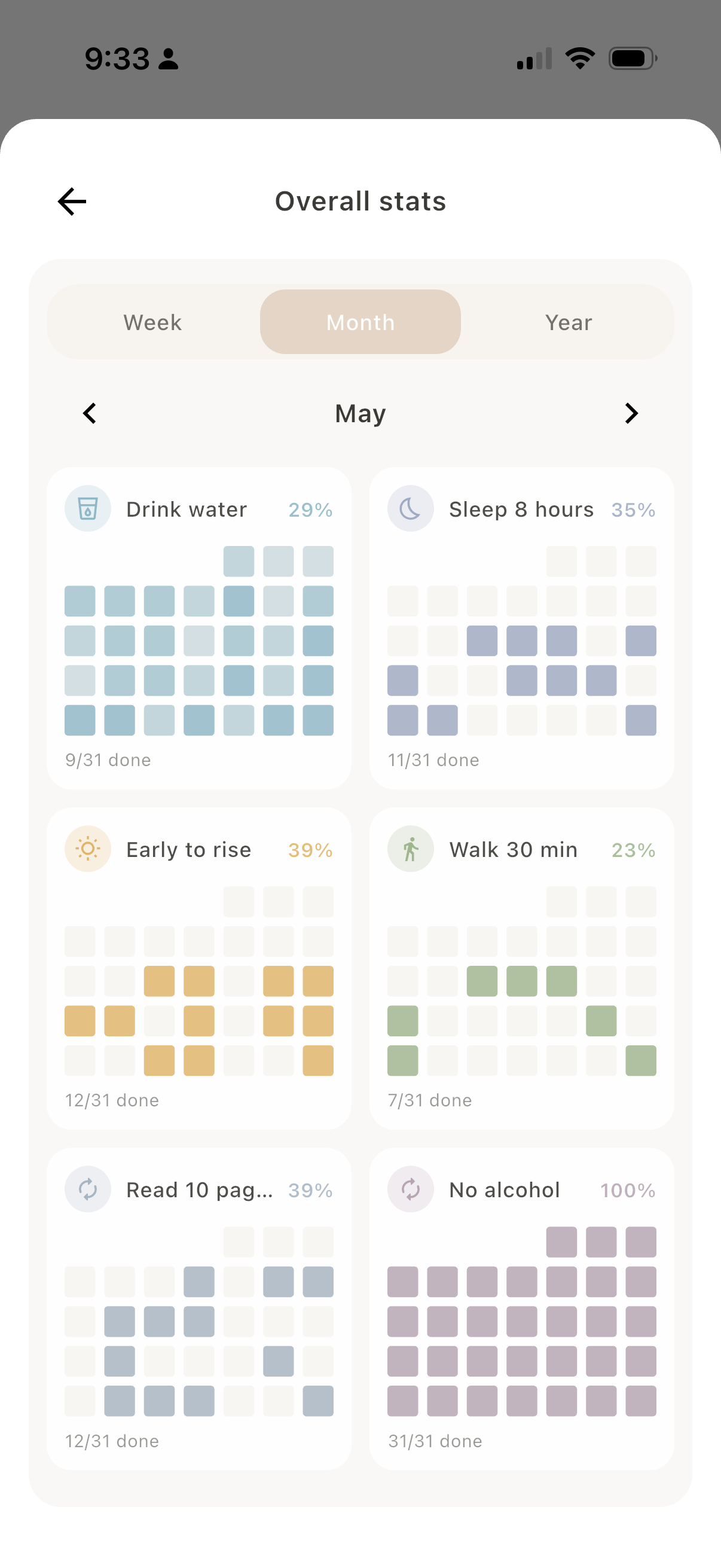
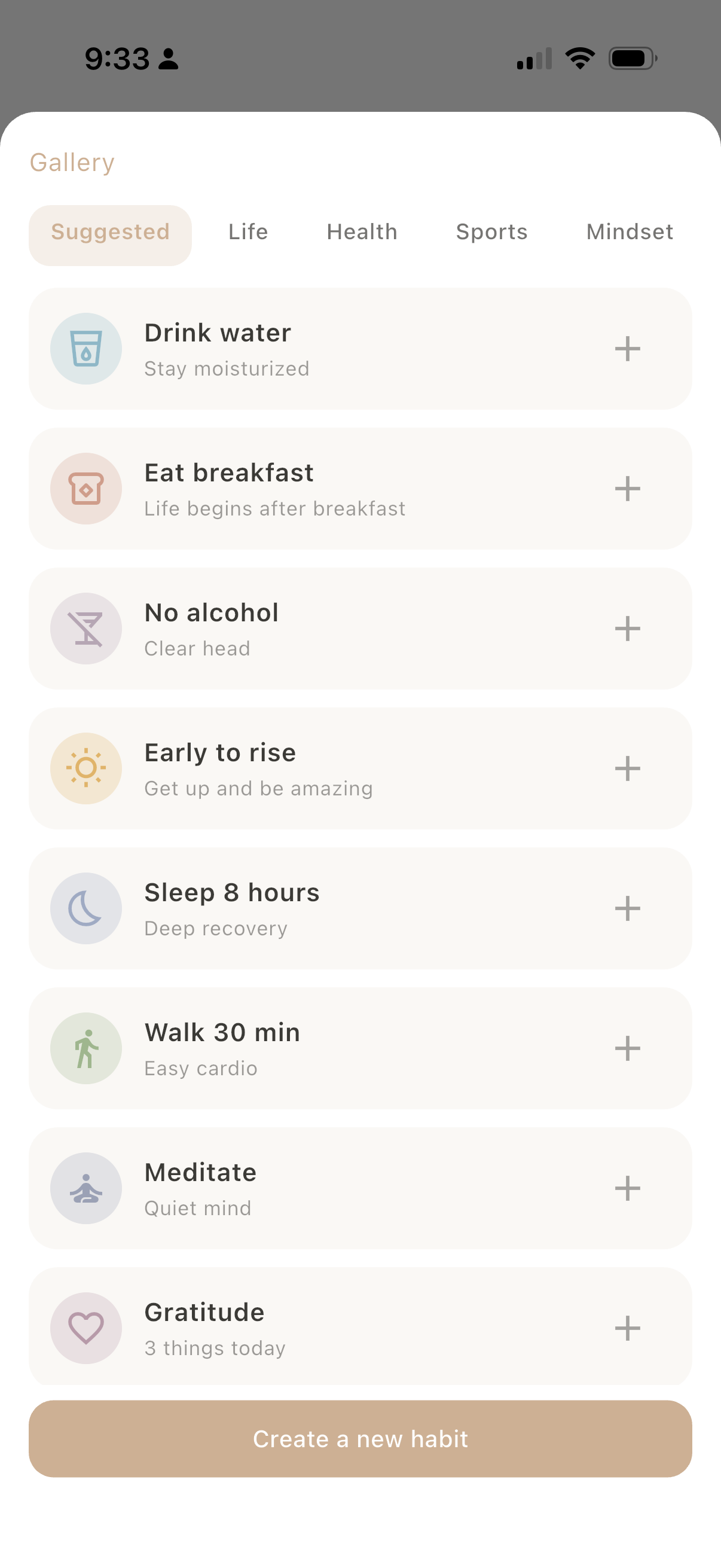
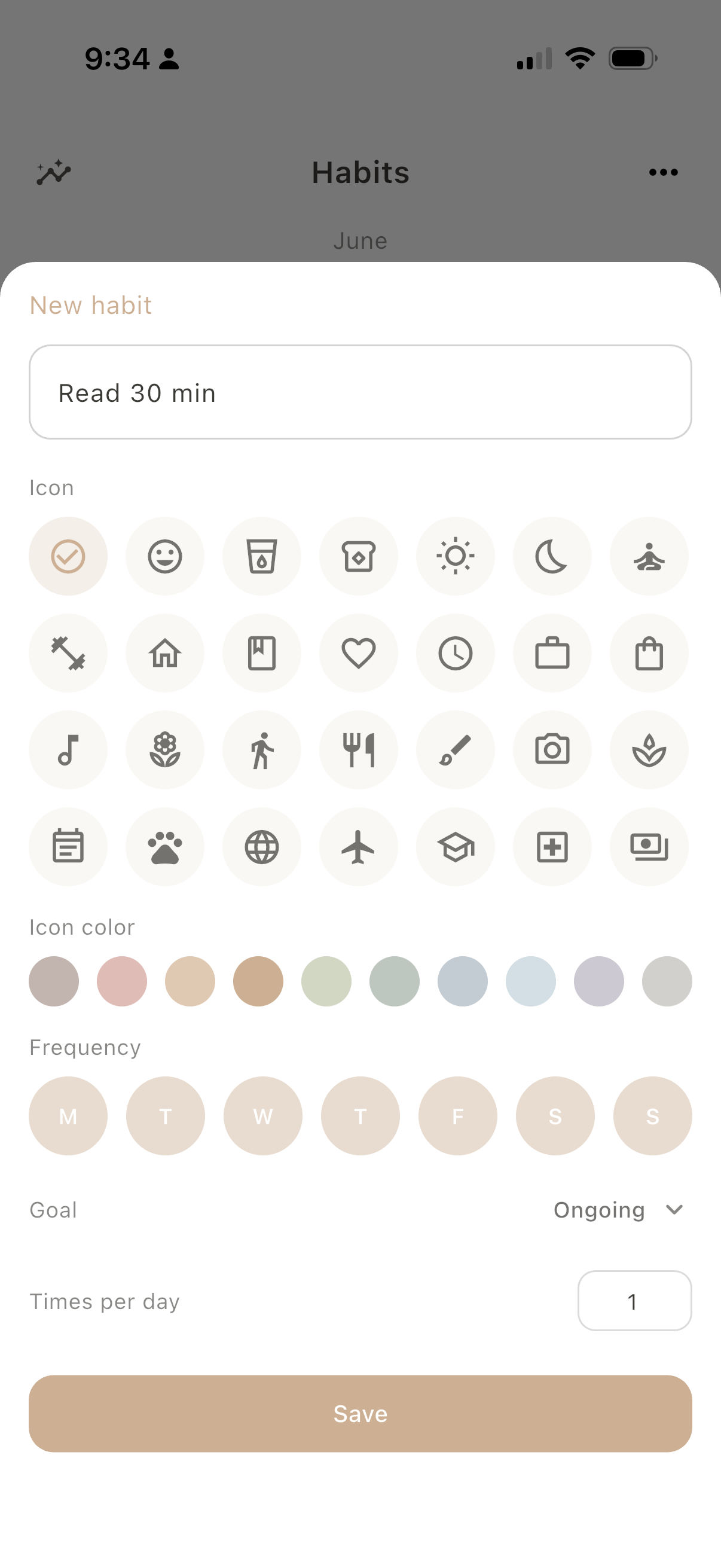
Repeated rhythms, tracked gently. Give one a goal if you want, ongoing or a run of days, and how often it should happen, down to a few times a day. Then watch the month, or the whole year, quietly fill in. No streak to defend.

Swipe: Habits, Detail, Overall, Gallery, New
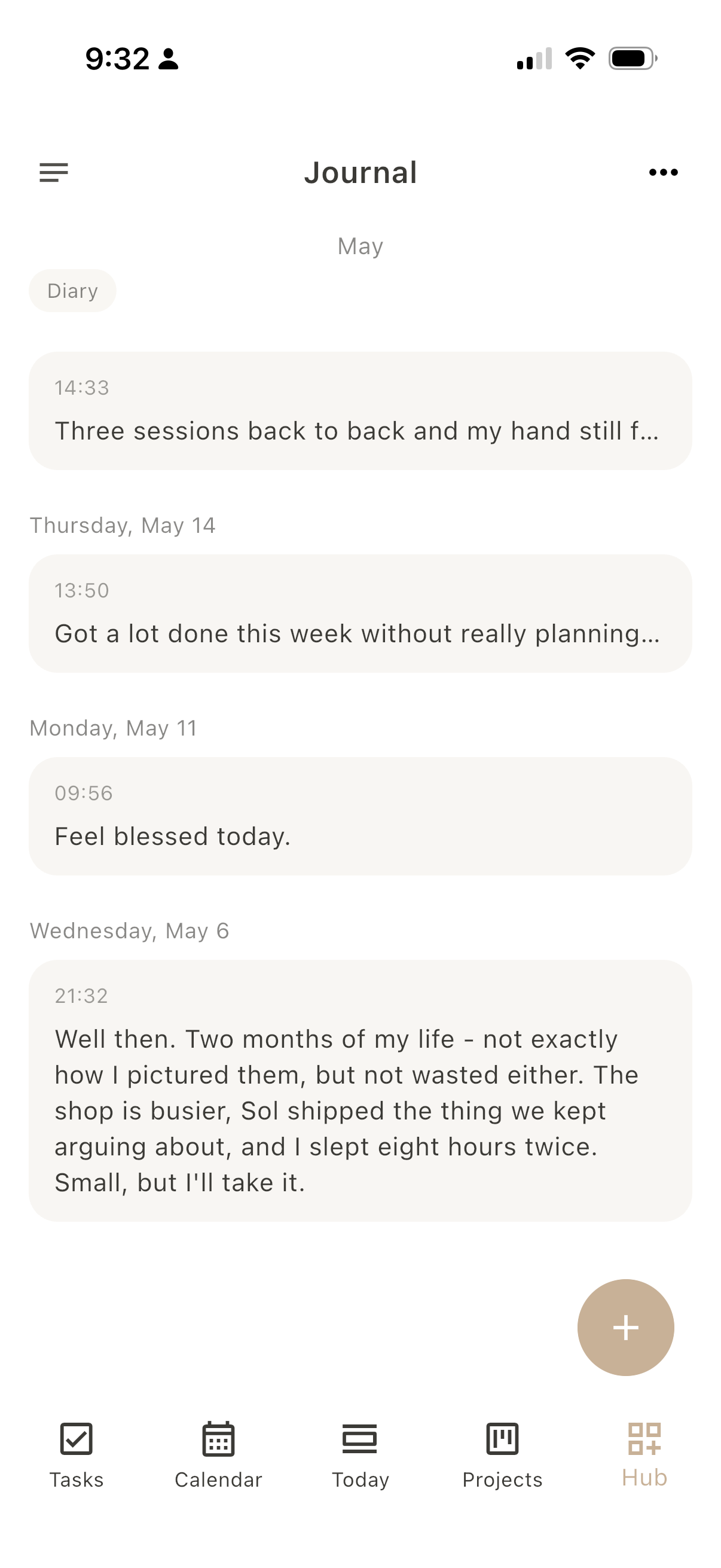
Dayfold Journal screen
05 - 07 A line a day

Journal

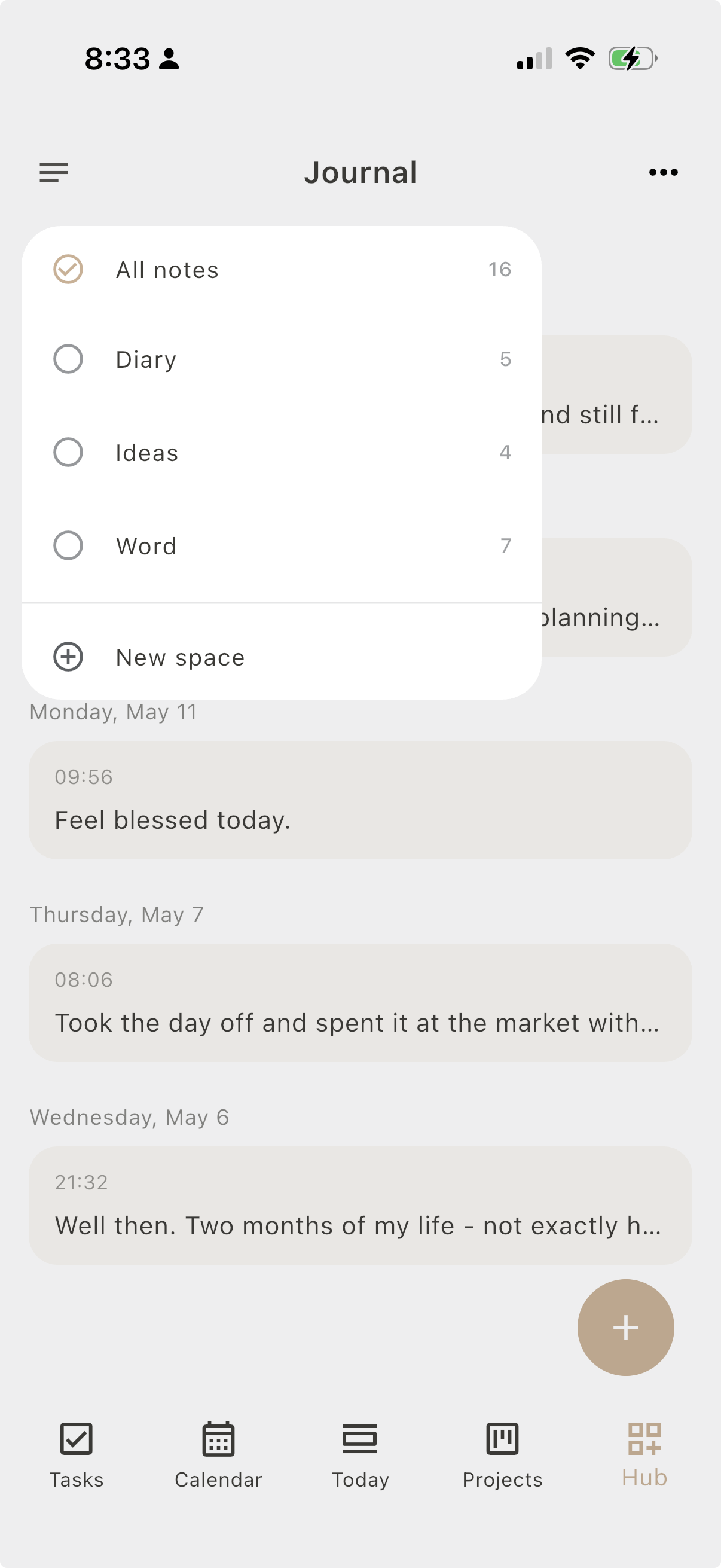
Keep reflections close to the day, so the timeline carries emotional context, not only events. Keep separate spaces for whatever you write: a diary, quick notes, Sunday's sermon, a place for ideas, so it doesn't all pile into one list.

Swipe: Diary, Spaces
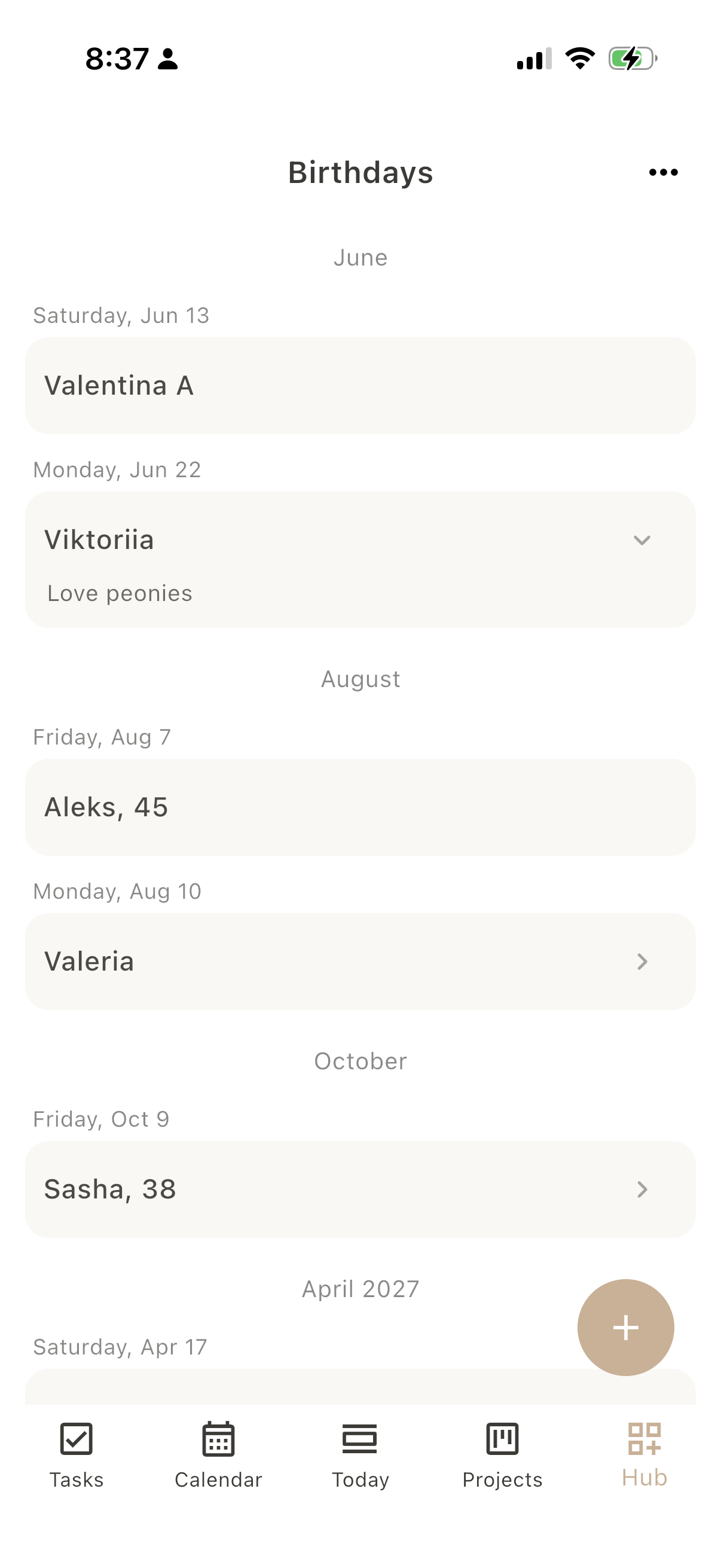
Dayfold Birthdays screen
06 - 07 People, not reminders

Birthdays

The people you care about surface right inside Today, so a birthday never quietly slips past you again. Add a small note too: gift ideas, or the flowers they love. Set a gentle nudge a week ahead, the day before, or the morning of, enough time to actually do something about it.

Dayfold Pomodoro screen
07 - 07 Gentle focus

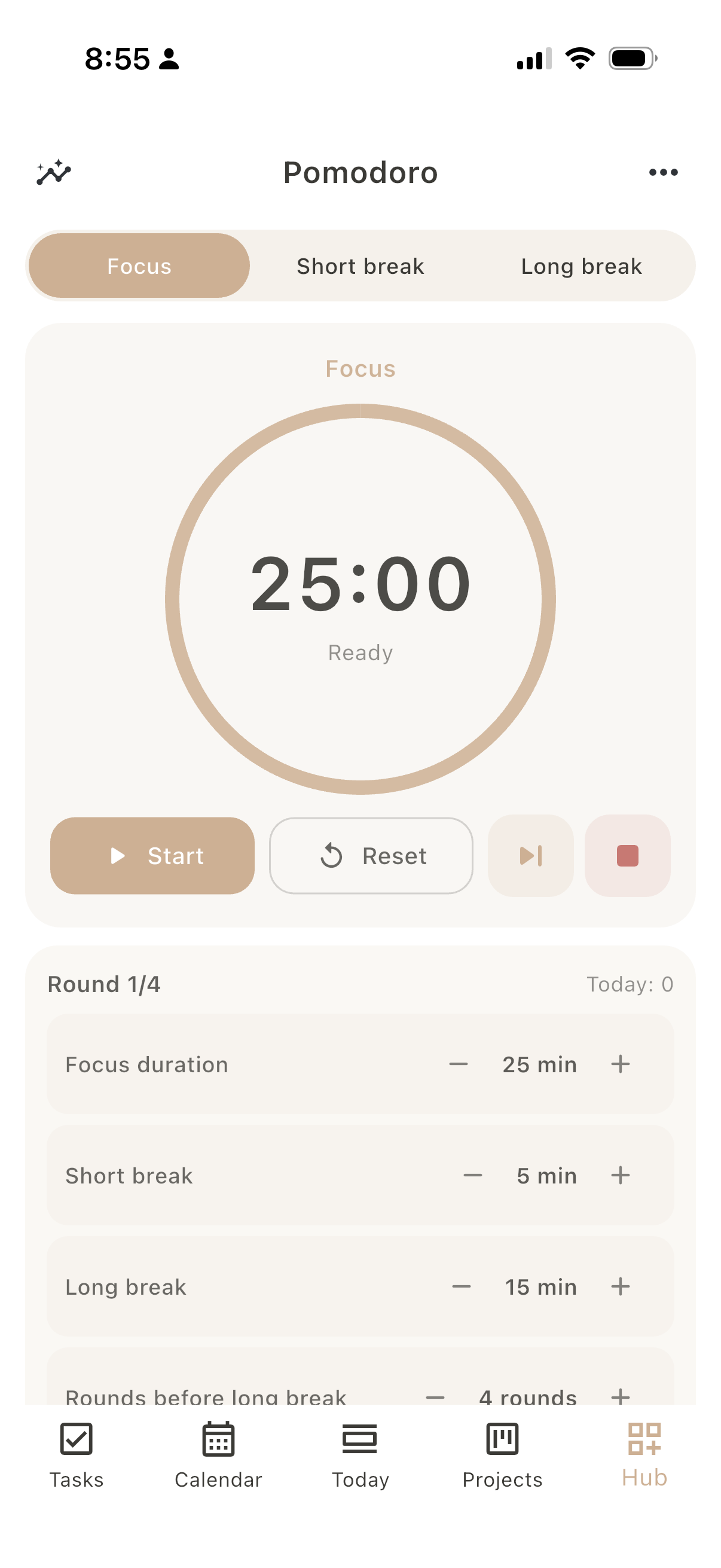
Pomodoro

Focus when you want it: rounds, short breaks, and a quiet ring. A calm timer, never pressure to perform.

Routines, woven in

Your routines live in the day, not in your head.

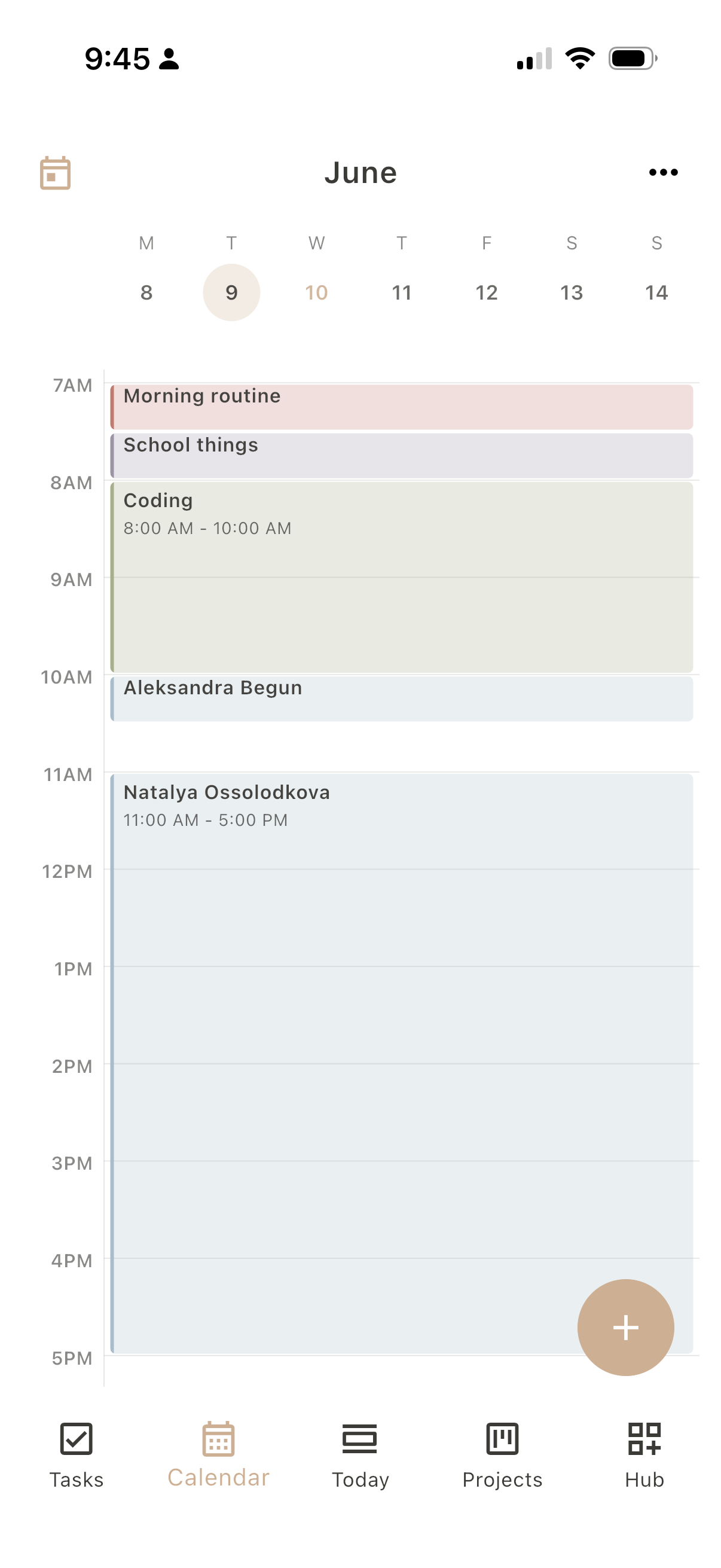
Most productivity apps quietly skip the things you do every day. So your morning, the school run, a coding block end up nowhere, or get re-added by hand. Dayfold keeps recurring routines right in the calendar, where the day actually happens.

And when you'd rather see only what's new, hide them with one tap. For anyone whose day runs on structure, that small switch is the whole point.

Same Monday, your call
Dayfold week with routines shown, the day full of recurring blocks Dayfold week with routines hidden, only the new events left

What you actually get back

Your day, told by role, not by a to-do count.

Most apps end the day with “3 of 7 done.” Dayfold can end it with a softer, more honest picture: which aspects of life took your hours, in clear percentages, and where the gaps are.

Why it helps: over a week the pattern speaks for itself. The role that quietly slipped away, the one that quietly took everything. Not to optimize, just to notice, so you can rebalance on purpose instead of by accident. And if it’s not for you, switch roles off entirely.

You have 1 hour 45 min free time
Tattooer32% · 14h 30m
Woman25% · 11h 30m
Developer19% · 8h 30m
Mother15% · 7h
Housekeeper8% · 3h 45m

Personal appearance

Make it yours. A little sandbox.

Just like the app: pick light or dark, choose a background, and set an accent color. Try it right here: the whole page changes with you, and your choice is remembered.

Theme
Light Dark System
Background
Sand Mist Stone
Accent

A softer kind of productivity

No streaks to defend.
No dashboards to feed.
Just your day, gently in view.

Private by design

Your days stay yours.

Journal entries, notes, the shape of your time: everything you put into Dayfold is private by default. No ads, no tracking, and your data is never sold or shared. It’s a mirror you glance at, then close, not a feed for anyone else.

Read the full privacy policy

Status: Dayfold is in active development. The screens shown here reflect the working app experience.

Dayfold icon

Why Dayfold exists

Dayfold is made by one person: a tattoo artist, a mother, and a developer who needed a single calm place to hold all of it. It’s shaped every day around real days: client sessions, school runs, code, and the quiet hours in between.

FAQ

For people who want to feel present again.

Is Dayfold a productivity app?

Not in the usual sense. Dayfold includes tasks and schedules, but the point is not to squeeze more out of the day. It helps you see where time, attention, roles, and energy actually went.

Does it punish unfinished days?

No. Dayfold avoids guilt mechanics. Unfinished days still tell you something. The point is visibility, not another scoreboard.

Does it work with my existing calendar?

Yes. Dayfold reads your Apple and Google calendars, so the events you already keep show up right alongside your habits, tasks, and roles. No copying, no second place to check.

Who can see what I write?

Only you. Your days, journal entries, and notes stay private by default. Dayfold is a mirror you glance at and close, not a feed for anyone else.

Will it stay free?

Dayfold is free while in beta. After launch there will be one simple, fairly priced plan. Never ads, and never your data as the price. Beta testers will hear about it first.

When is the Mac app coming?

Dayfold lives on iPhone first. The Mac app is next in line and already in the works. Join the beta and you’ll know the moment it lands.

Want to try Dayfold early?

Public beta is open now. Drop your email and we’ll send a TestFlight invite, updates, and a way to share feedback.
iPhone, iPad & Mac Free while in beta